Technology solutions, from Amman to the world.
Petra logoPetra POS

Runs your whole business. Even when the internet doesn’t.

Point of sale, inventory, loyalty and reports you understand at a glance, plus a full restaurant suite from kitchen to tables to delivery, in one system that runs locally on your machine and speaks four languages.

Works without internet 50 built-in reports Arabic · EN · DE · TR
Petra sales screen
Petra sales screen
Inside the system

Every screen pulls its weight.

Petra POS
Arabic, English, German, Turkish4 languages
built-in reports50
runs fully without a connectionOffline-first
Petra / Petra KasseTwo editions
TotalOne system
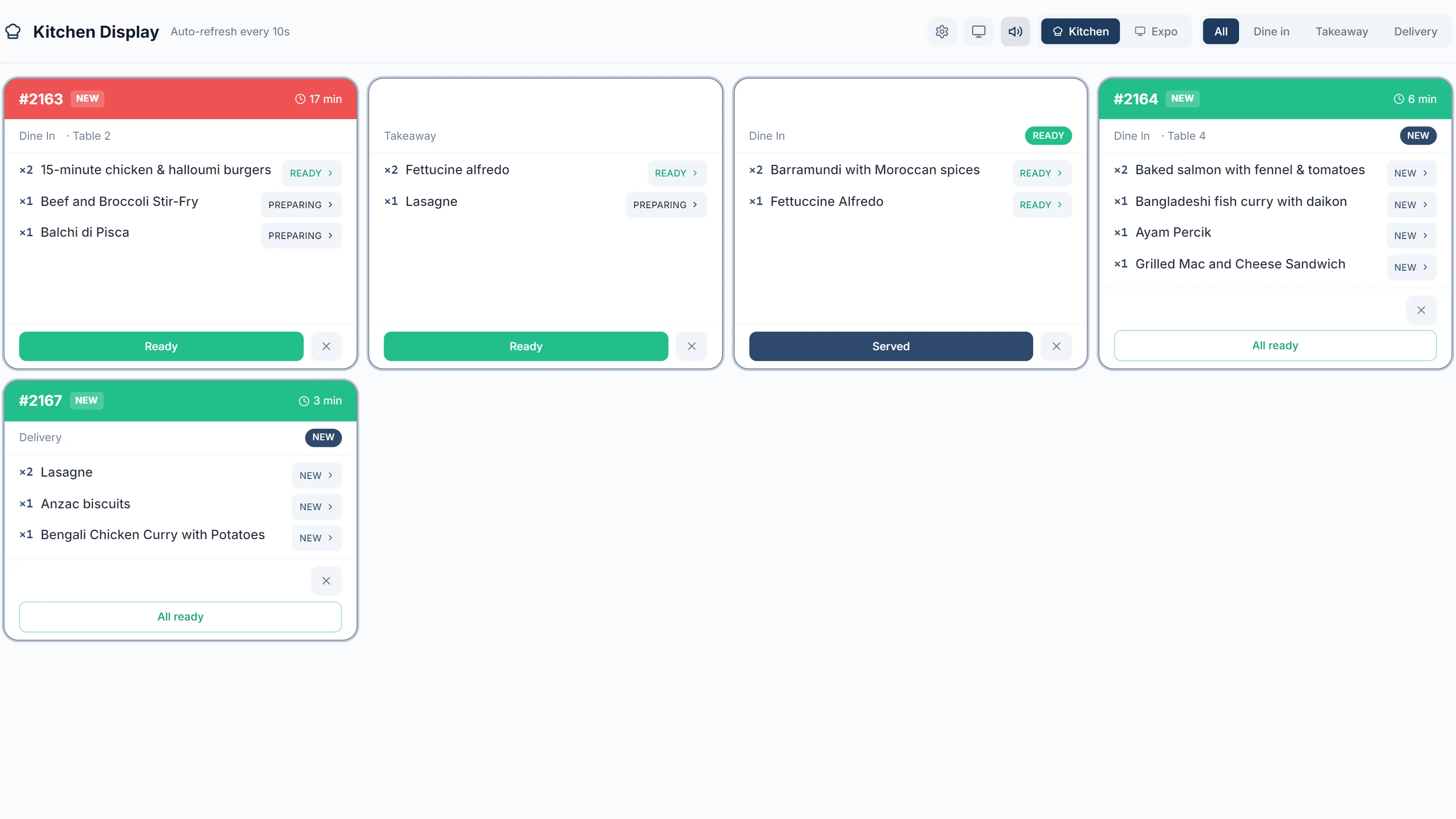
Kitchen display (KDS)

Kitchen display (KDS)

Every order reaches the kitchen the moment it is placed.

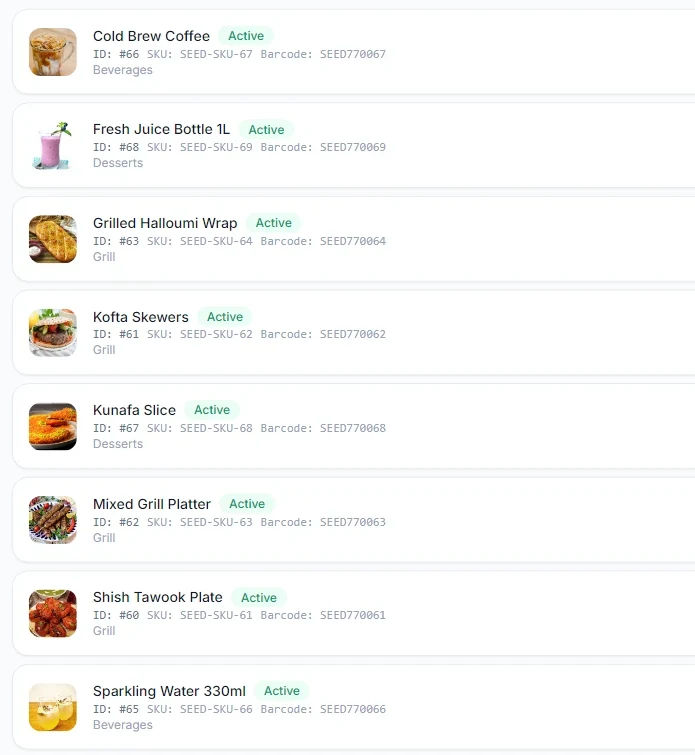
Products and inventory

Inventory & products

Variants, recipes, stocktaking. Stock moves with every sale.
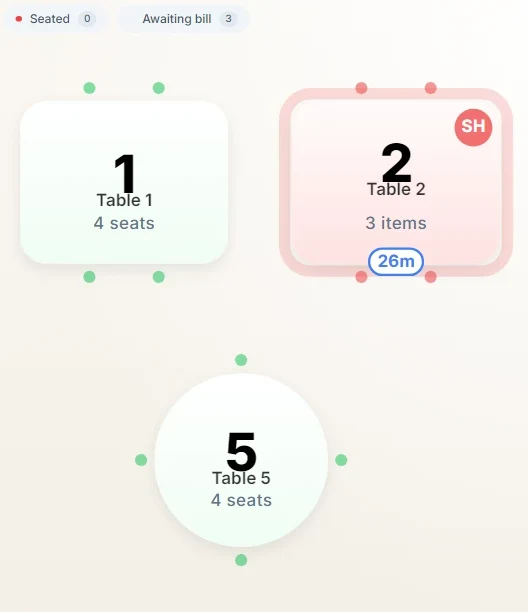
Table map

Tables & reservations

A live floor map: open, merge, move, split.
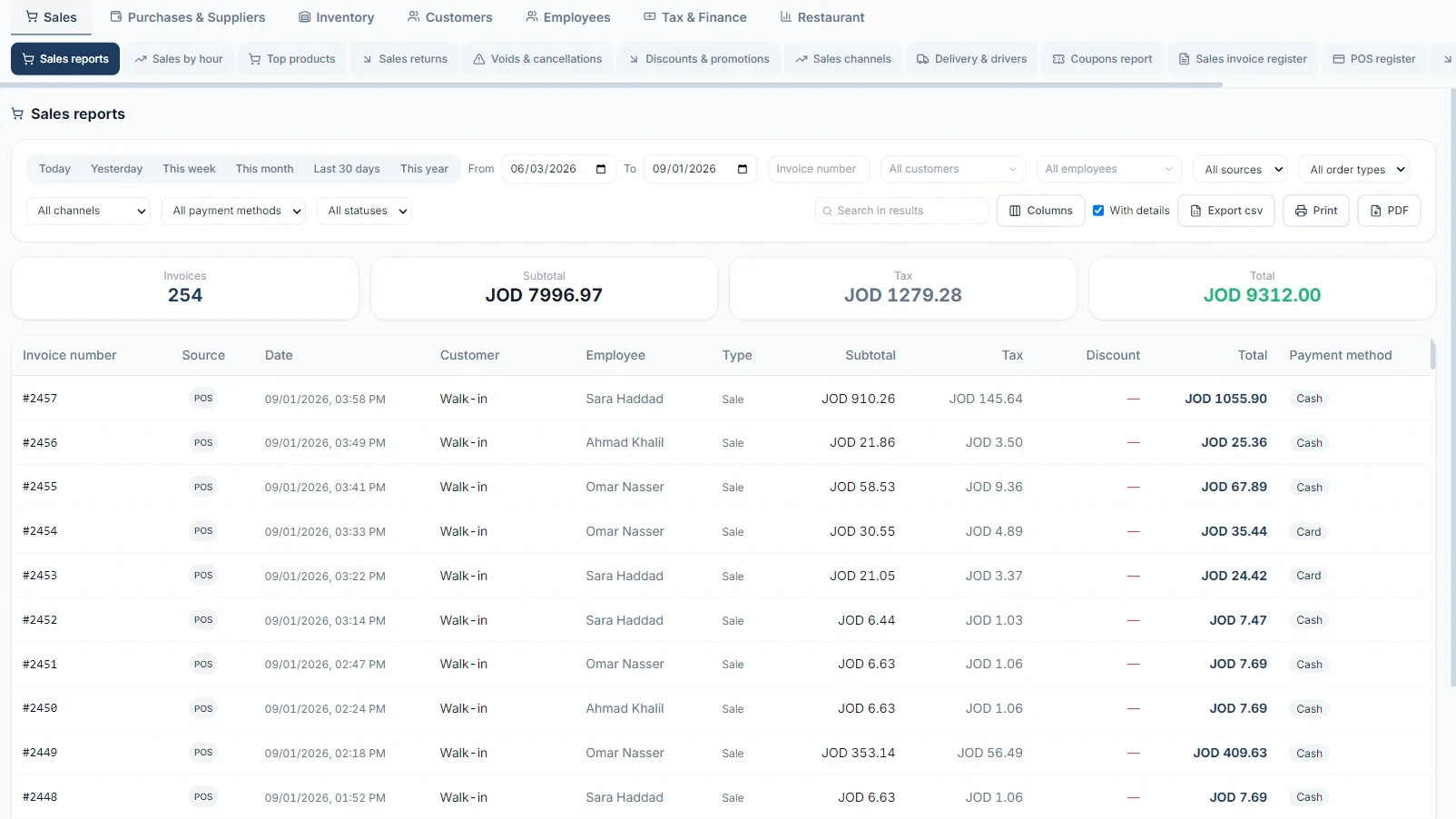
Petra reports

Decisions by the numbers

Fifty built-in reports: sales, channels, taxes, Z report, delivery and drivers.
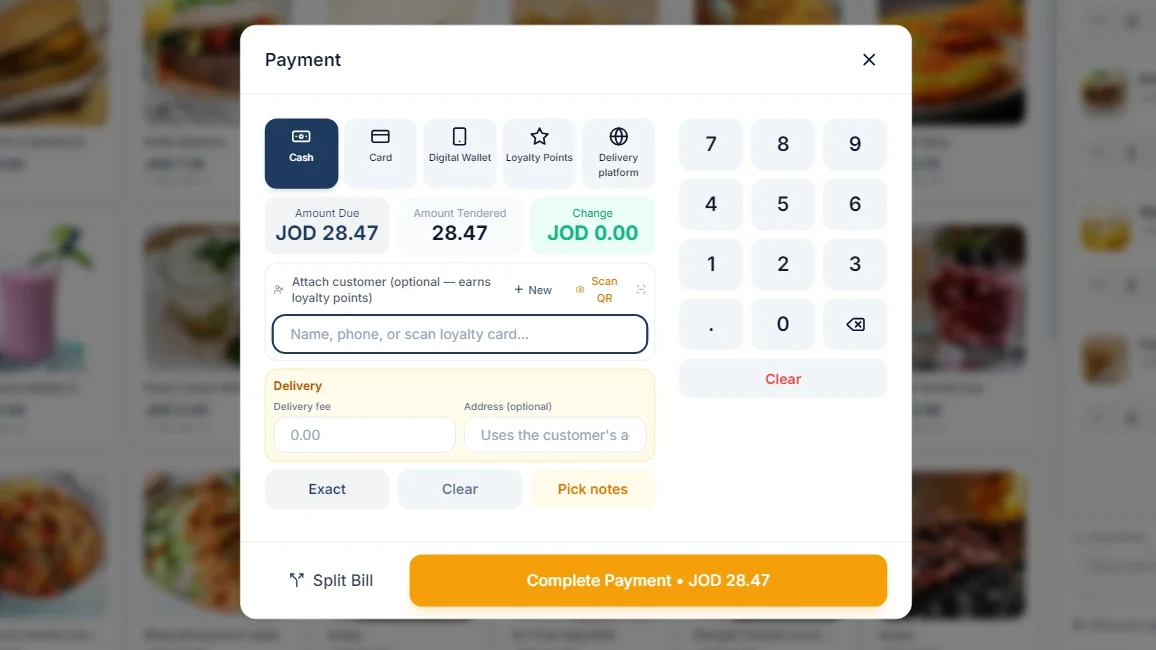
Payment screen

Every way to pay

Cash, cards, split bills, tips.

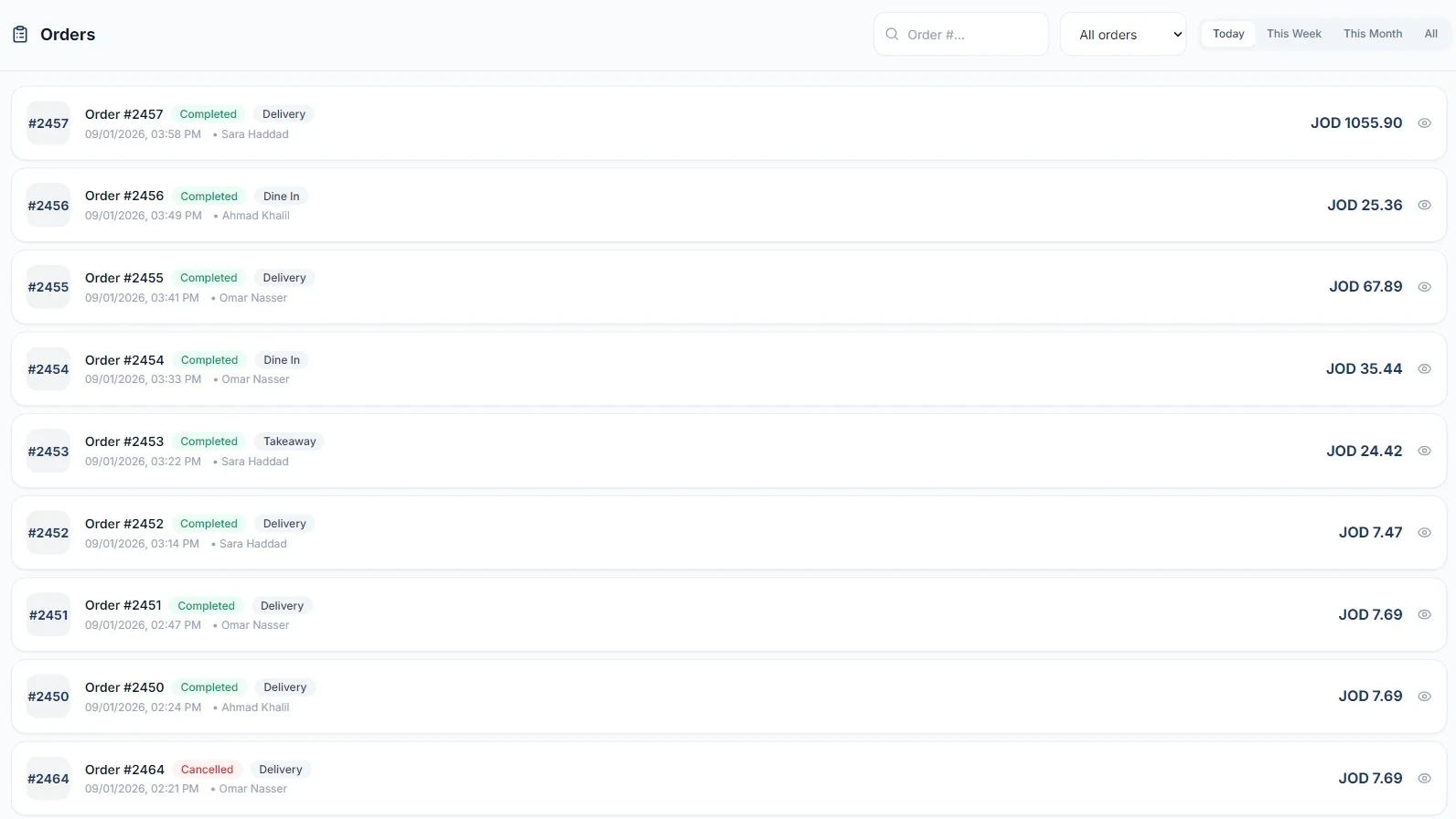
Orders screen

Orders & delivery

Dine-in, takeaway, delivery with drivers, all on one screen.

Built for your business

Pick your business type. The system shapes itself to it.

Every business type has its own profile inside Petra: the owner picks theirs at activation and the screens, fields and reports take that shape, and each business type’s data stays isolated on its own.
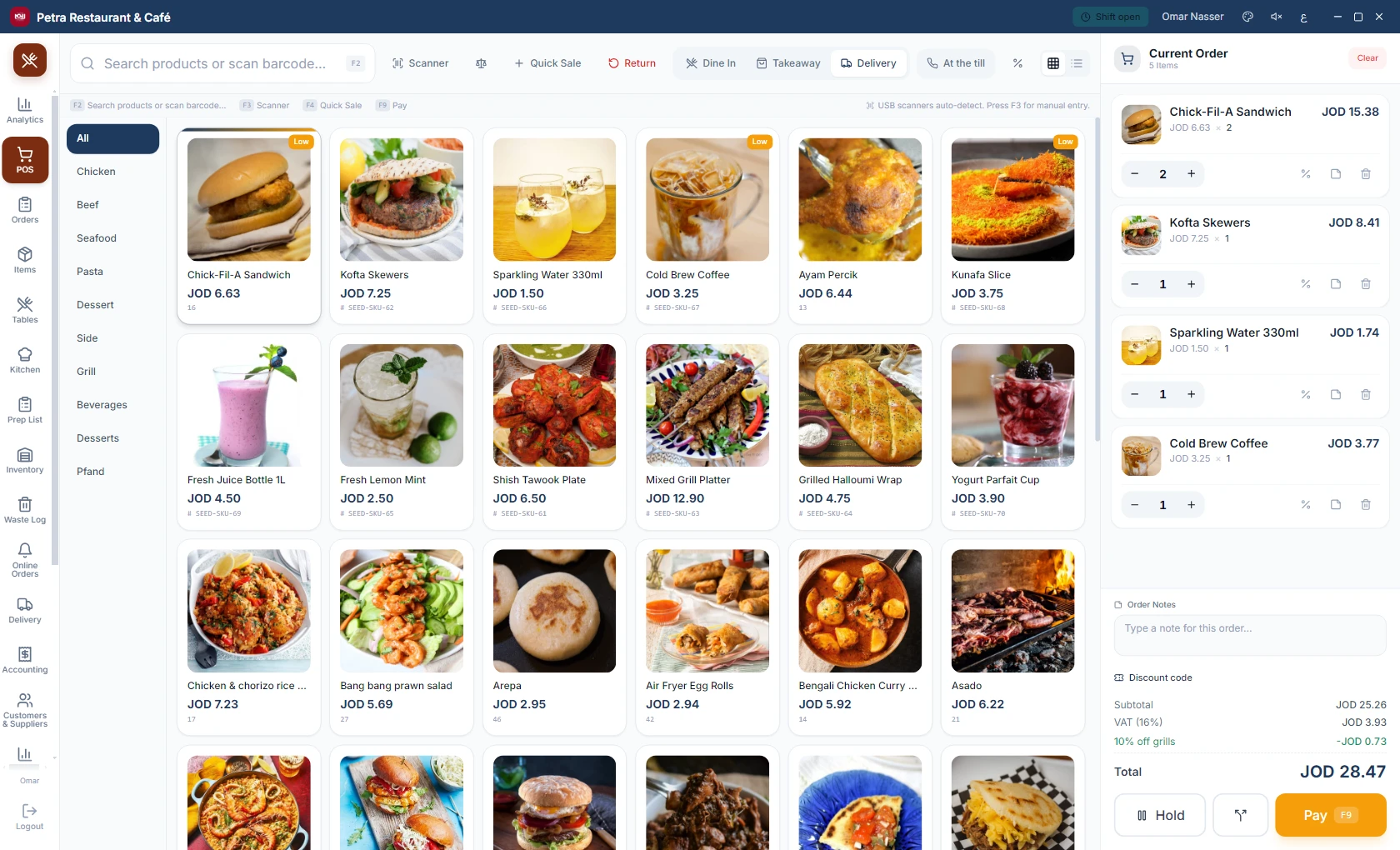
Restaurant

  • Tables, reservations and a kitchen display (KDS)
  • Recipes, ingredients and food cost per item
  • Dine-in, takeaway and delivery on one screen
Restaurant — Petra sales screen
Restaurant

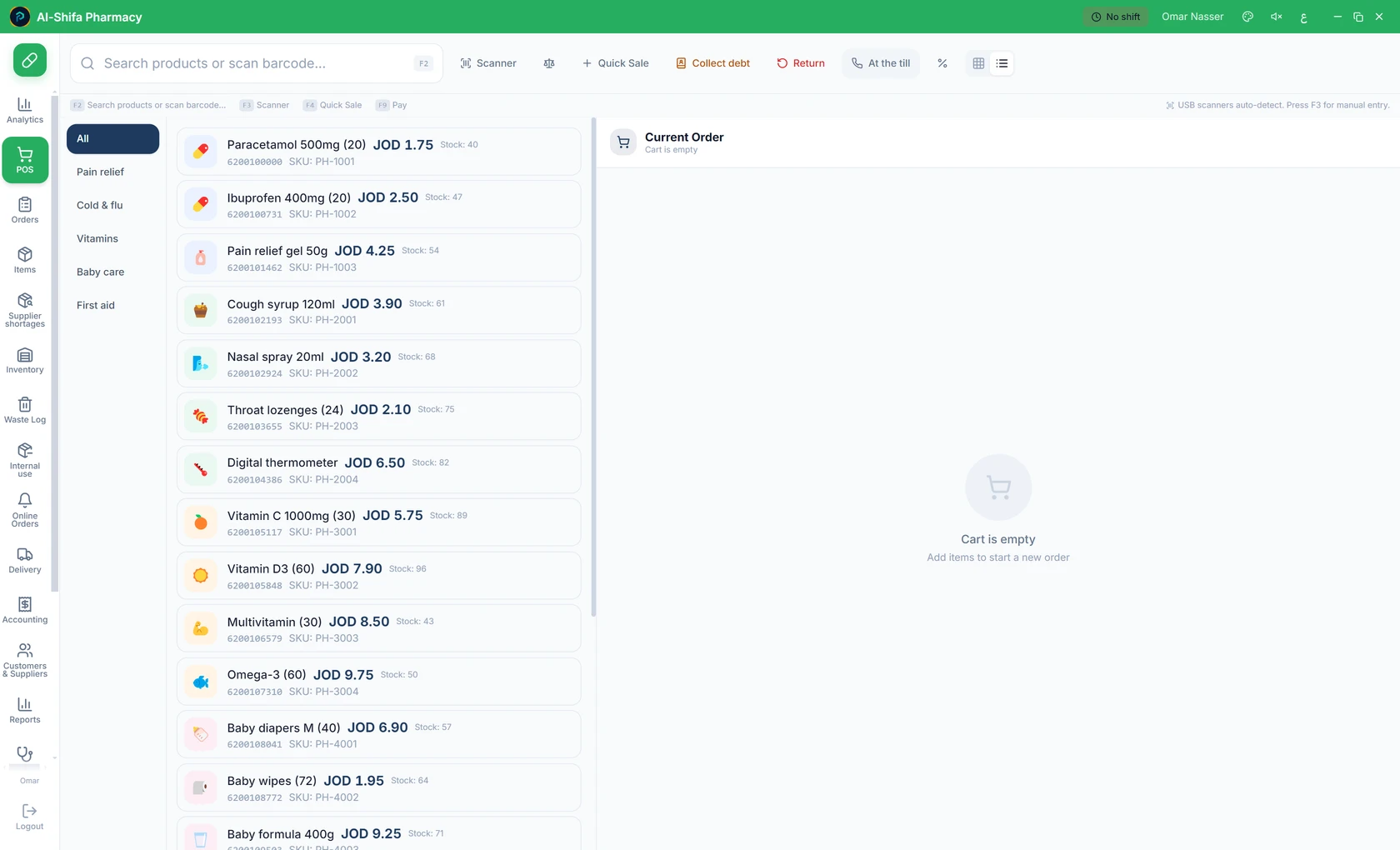
Pharmacy

  • Batches with expiry dates, dispensed oldest first
  • Drug fields: active ingredient, dosage, prescription
  • Batch number and expiry date on the receipt
Pharmacy — Petra sales screen
Pharmacy

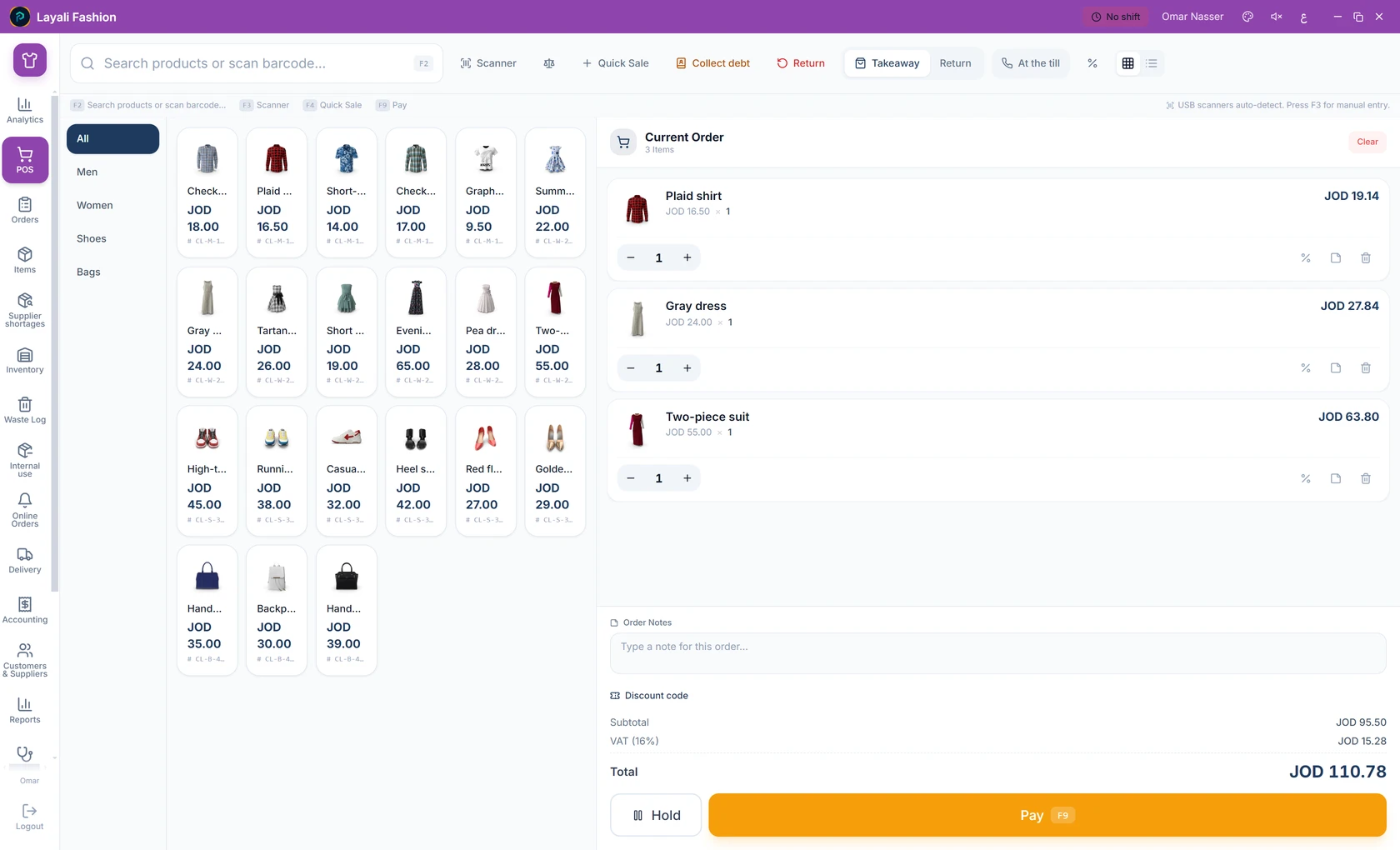
Clothing store

  • Size and color variants, each with its own stock
  • Brand, season and material on every piece
  • Sales and returns by barcode
Clothing store — Petra sales screen
Clothing store

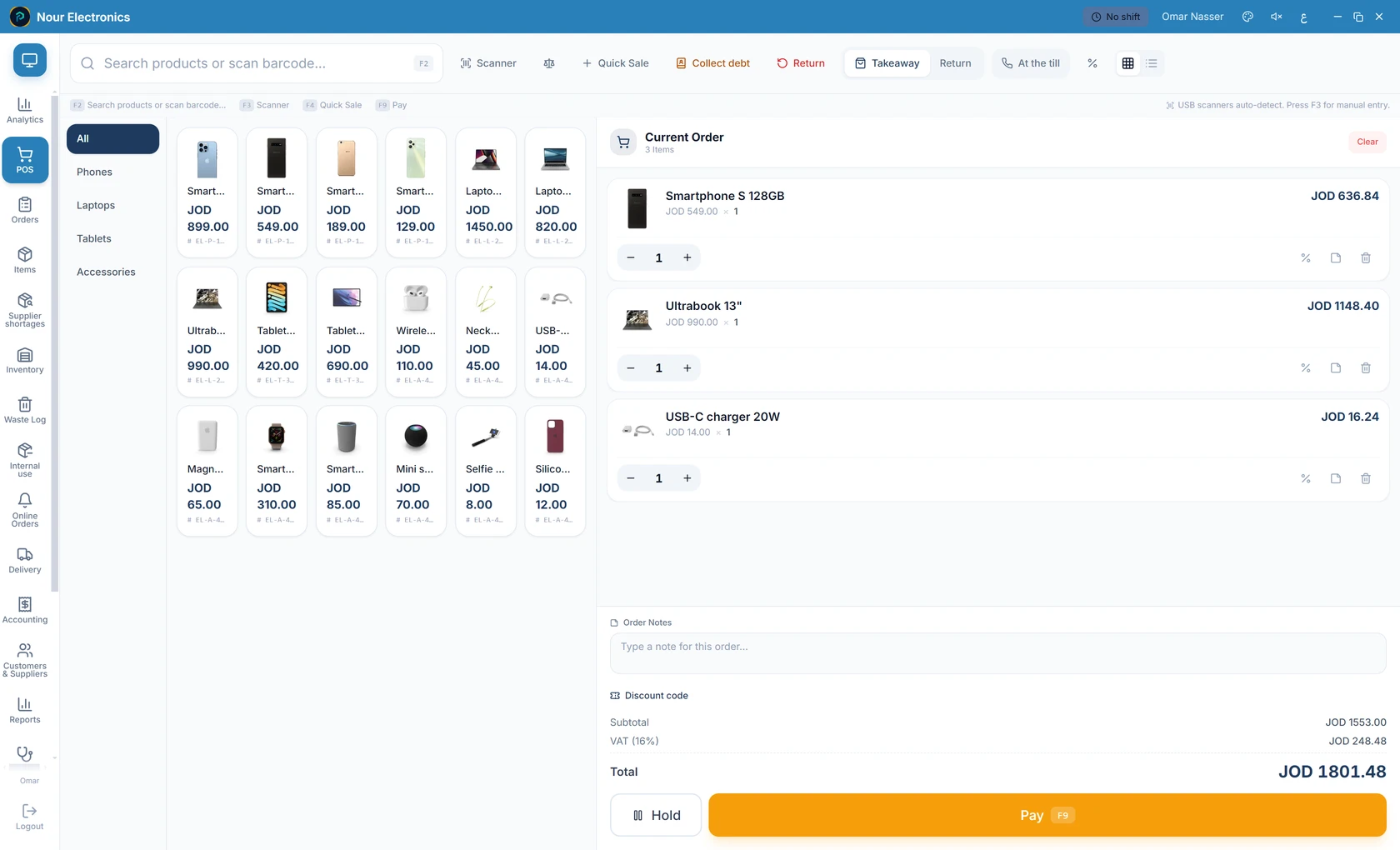
Electronics

  • A serial number tracks every device
  • Warranty with a set term, printed on the receipt
  • Variants, brands and barcodes
Electronics — Petra sales screen
Electronics

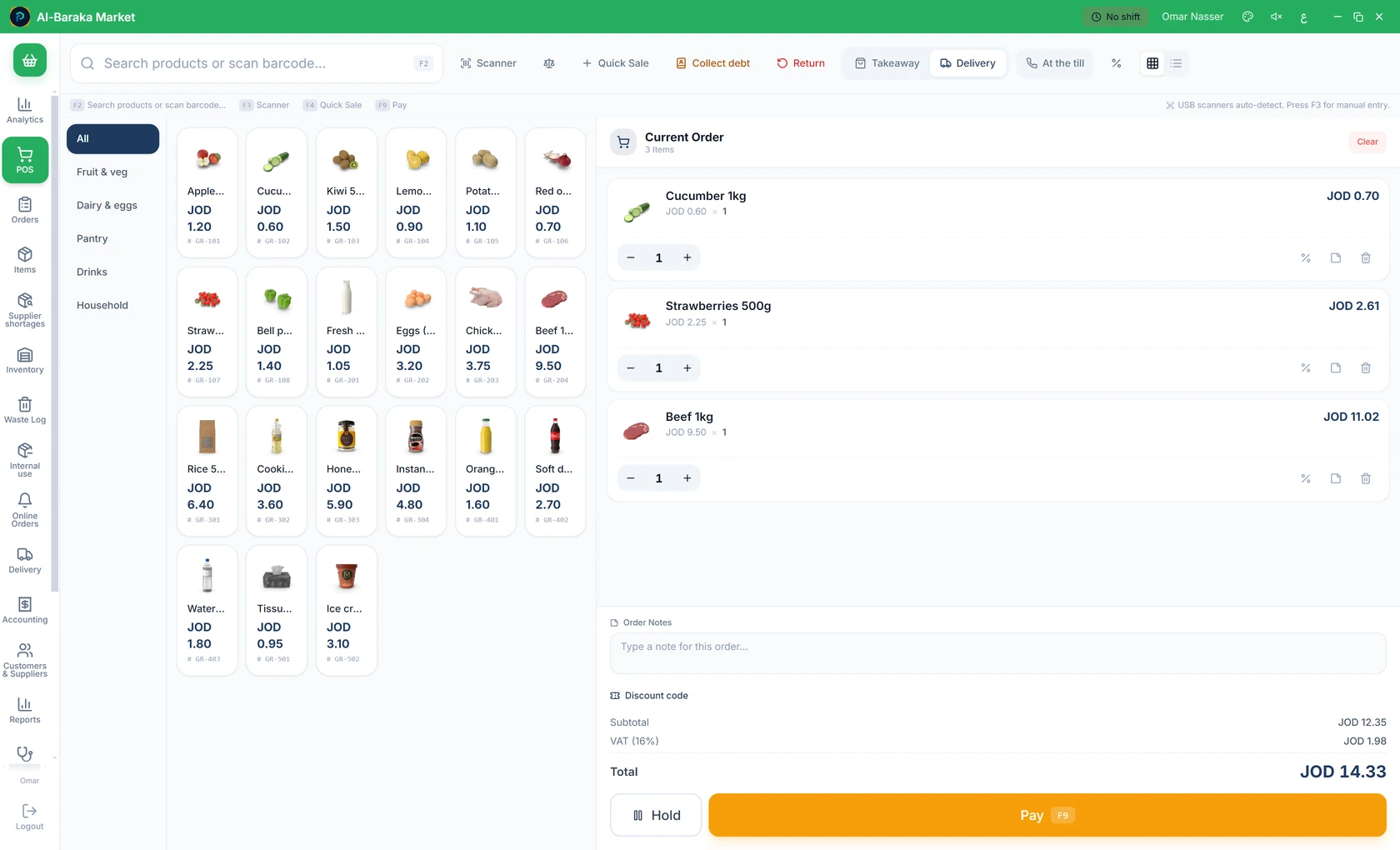
Grocery / bakery

  • Batches and expiry dates for fresh goods
  • Recipes for baked goods next to finished products
  • Fast selling by barcode
Grocery / bakery — Petra sales screen
Grocery / bakery

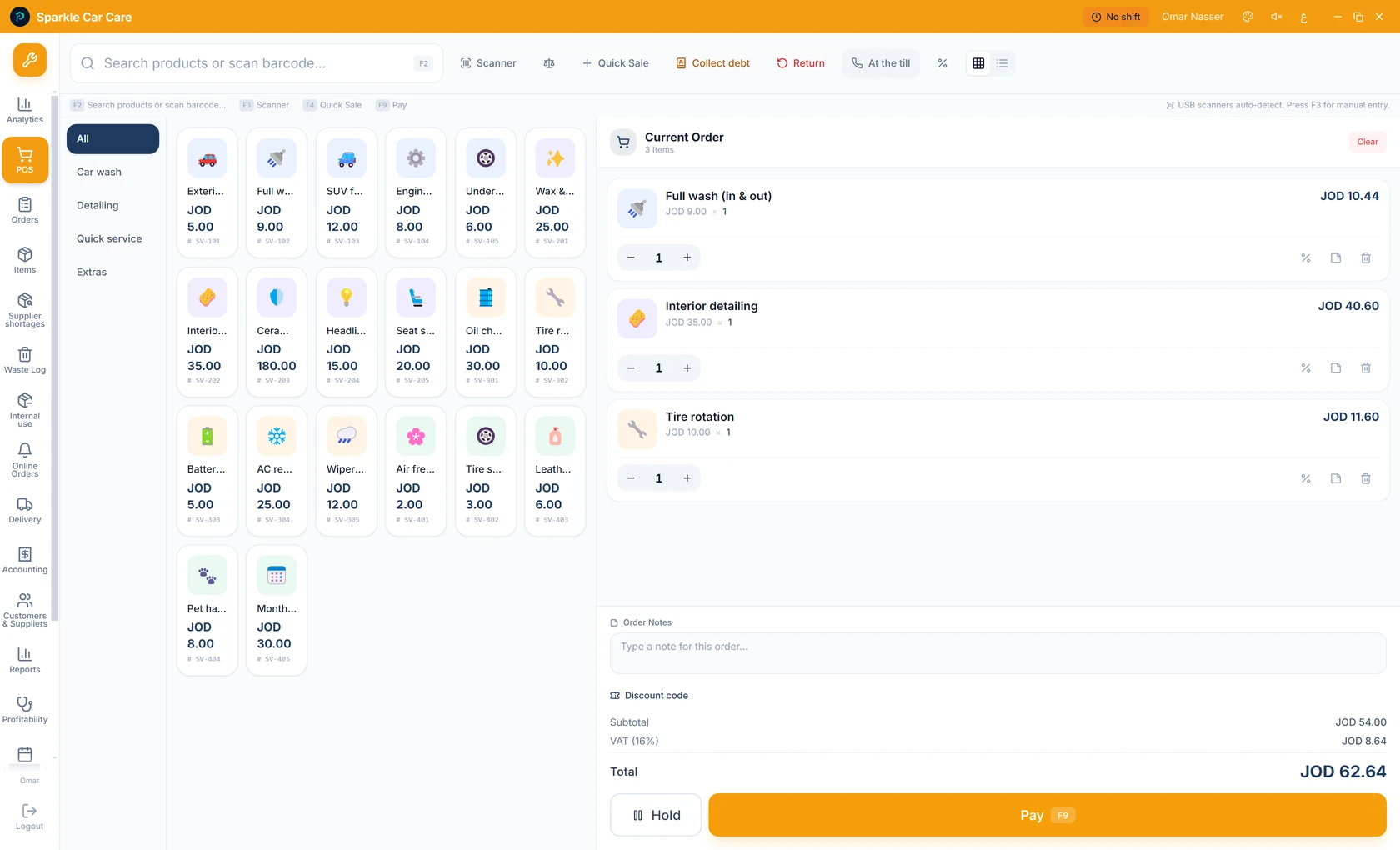
Services

  • Service items with no inventory
  • A set duration per service, with bookings
  • The technician recorded on the invoice
Services — Petra sales screen
Services

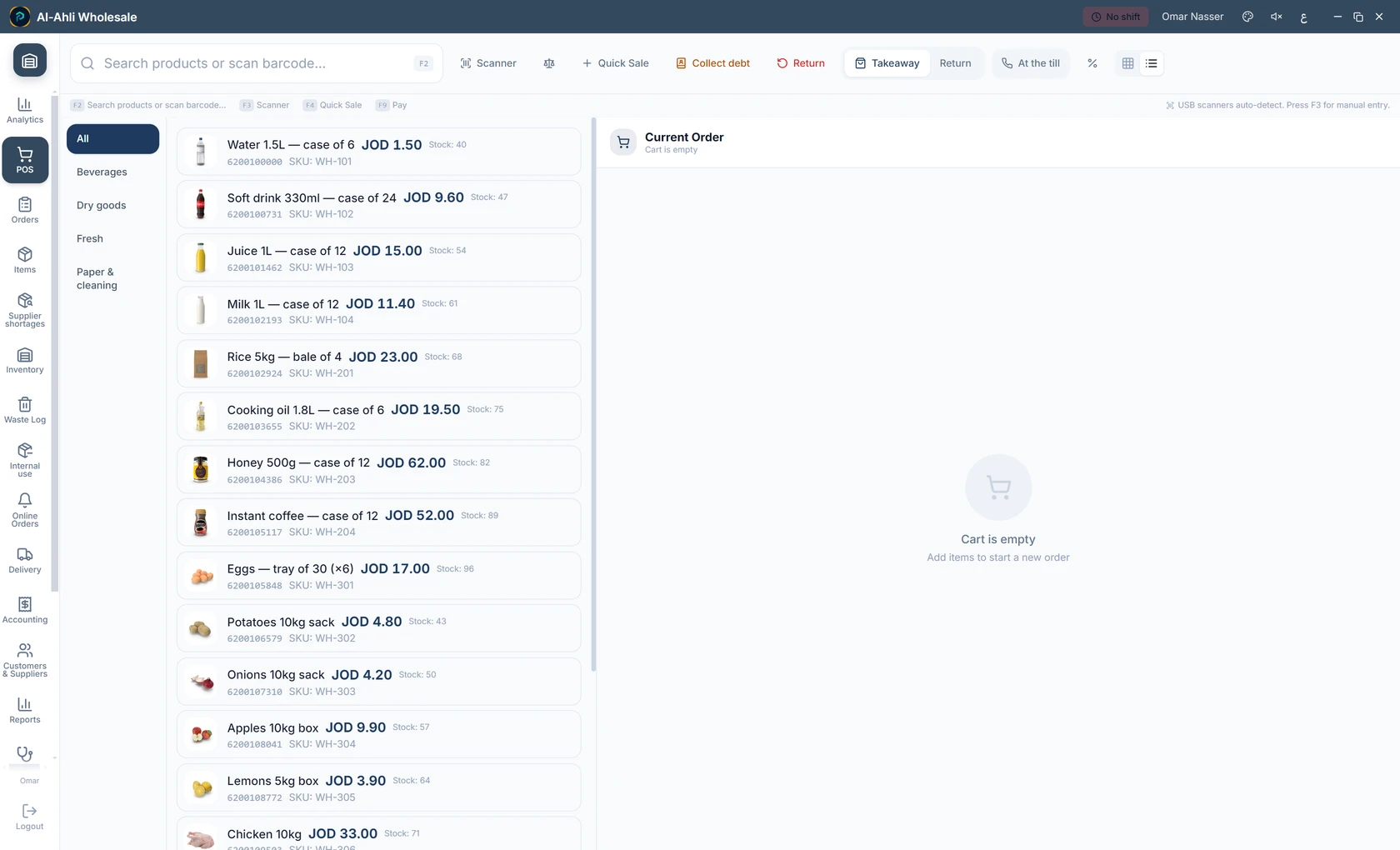
Wholesale

  • Detailed A4 invoices for wholesale
  • A minimum order quantity per item
  • A search-first sales screen: name or barcode
Wholesale — Petra sales screen
Wholesale

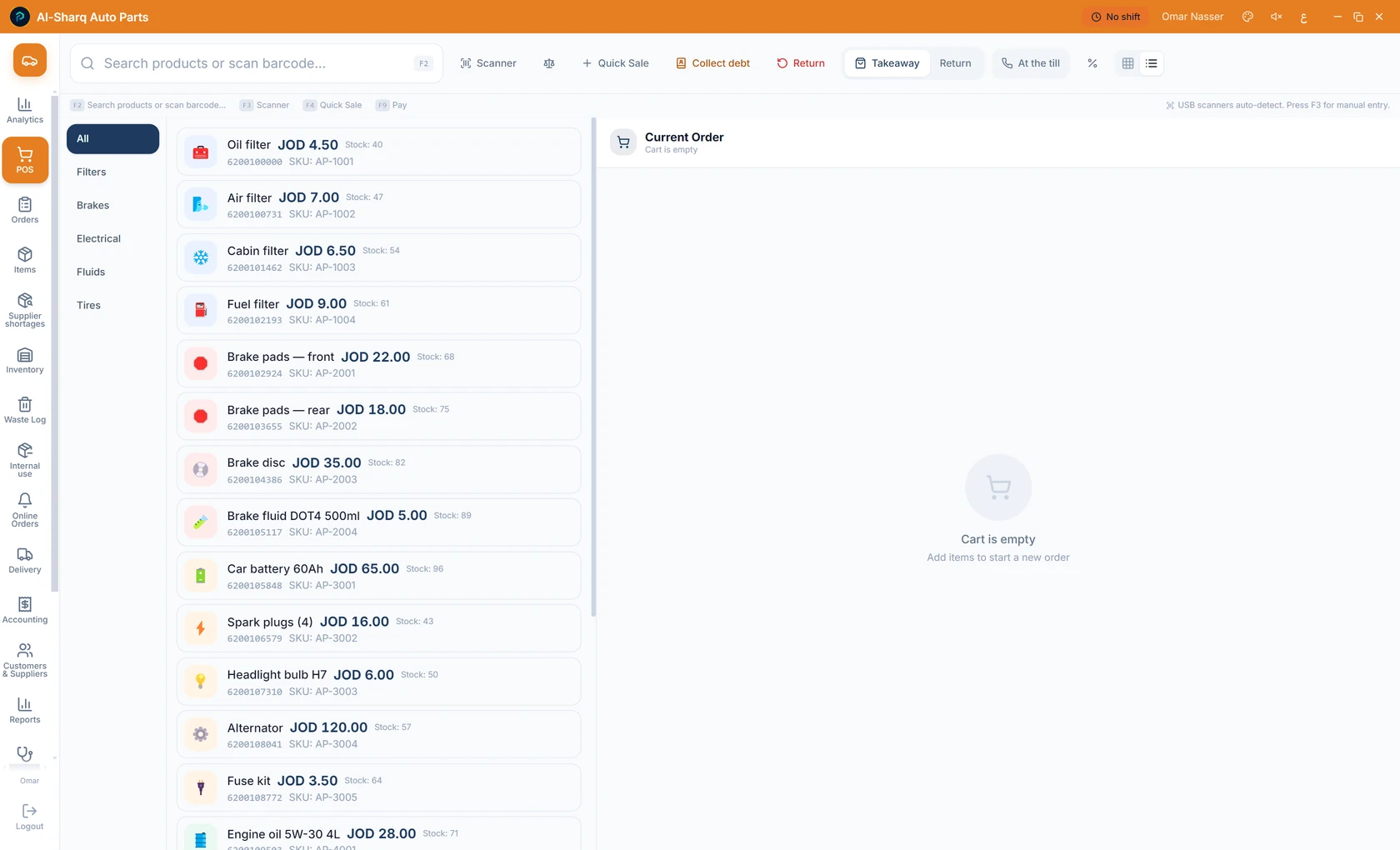
Auto parts

  • Part numbers and vehicle compatibility
  • Serial numbers and warranty per part
  • Fast search by part number or barcode
Auto parts — Petra sales screen
Auto parts

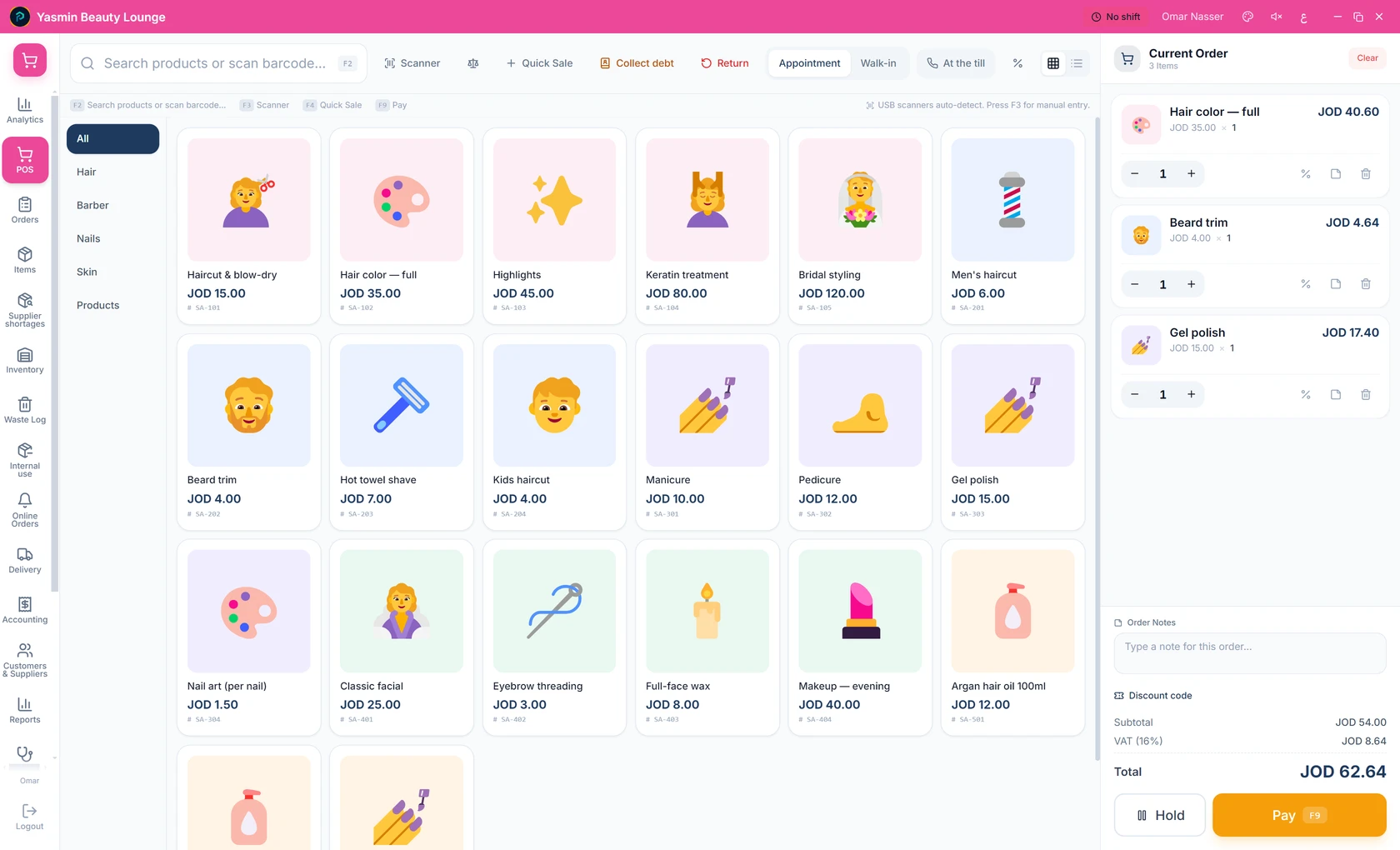
Salon / barber

  • Services with a set duration per session
  • Appointments, bookings and walk-ins
  • The stylist recorded on the receipt
Salon / barber — Petra sales screen
Salon / barber
01Selling

A sales screen that never slows the line.

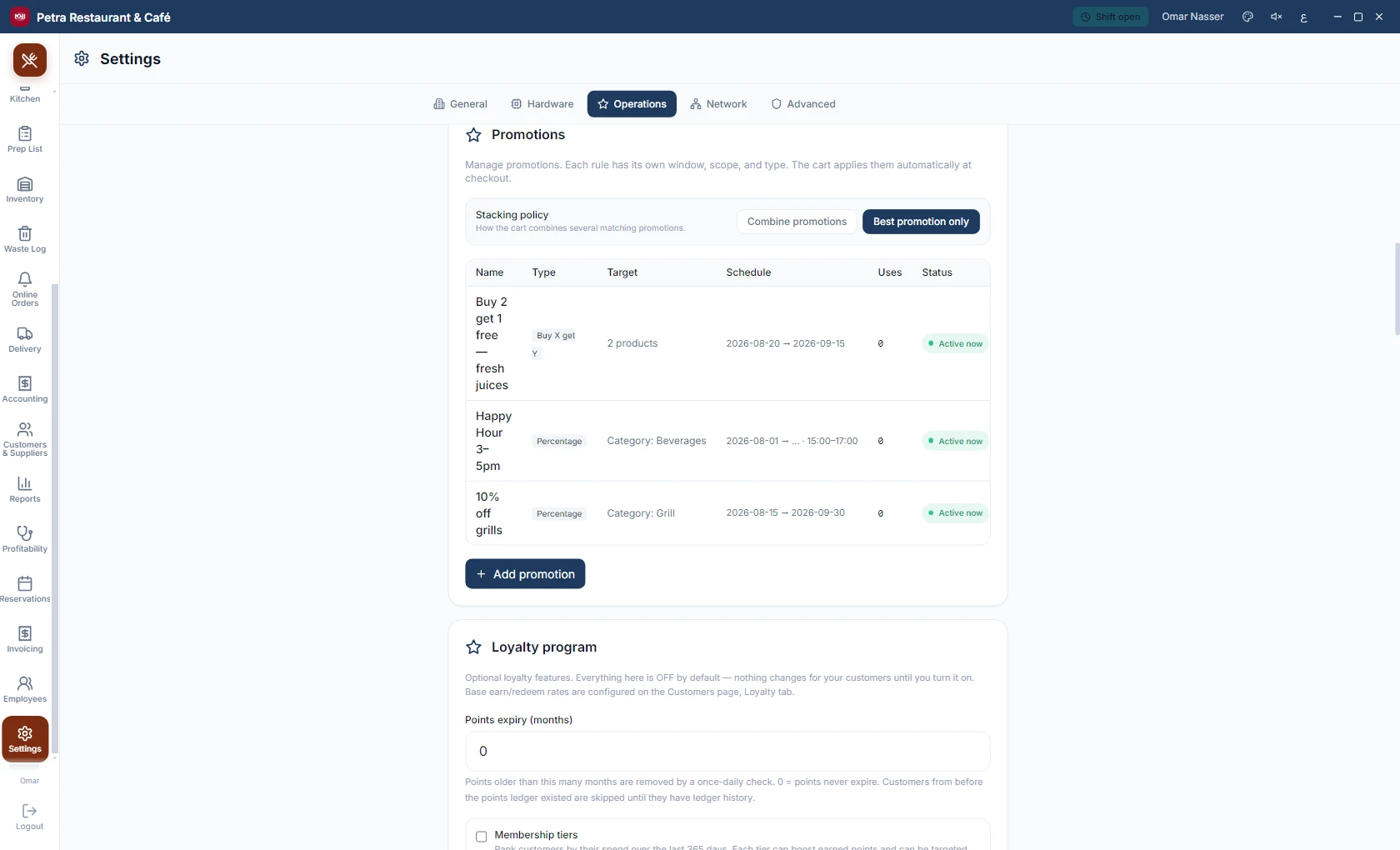
Fast entry by barcode or touch, with price and tax computed as you go. Promotions apply themselves by their own rules, and loyalty points accrue with every sale.
  • Fast entry: barcode, search, and a photo product grid.
  • Promotions and discounts with rules that apply themselves.
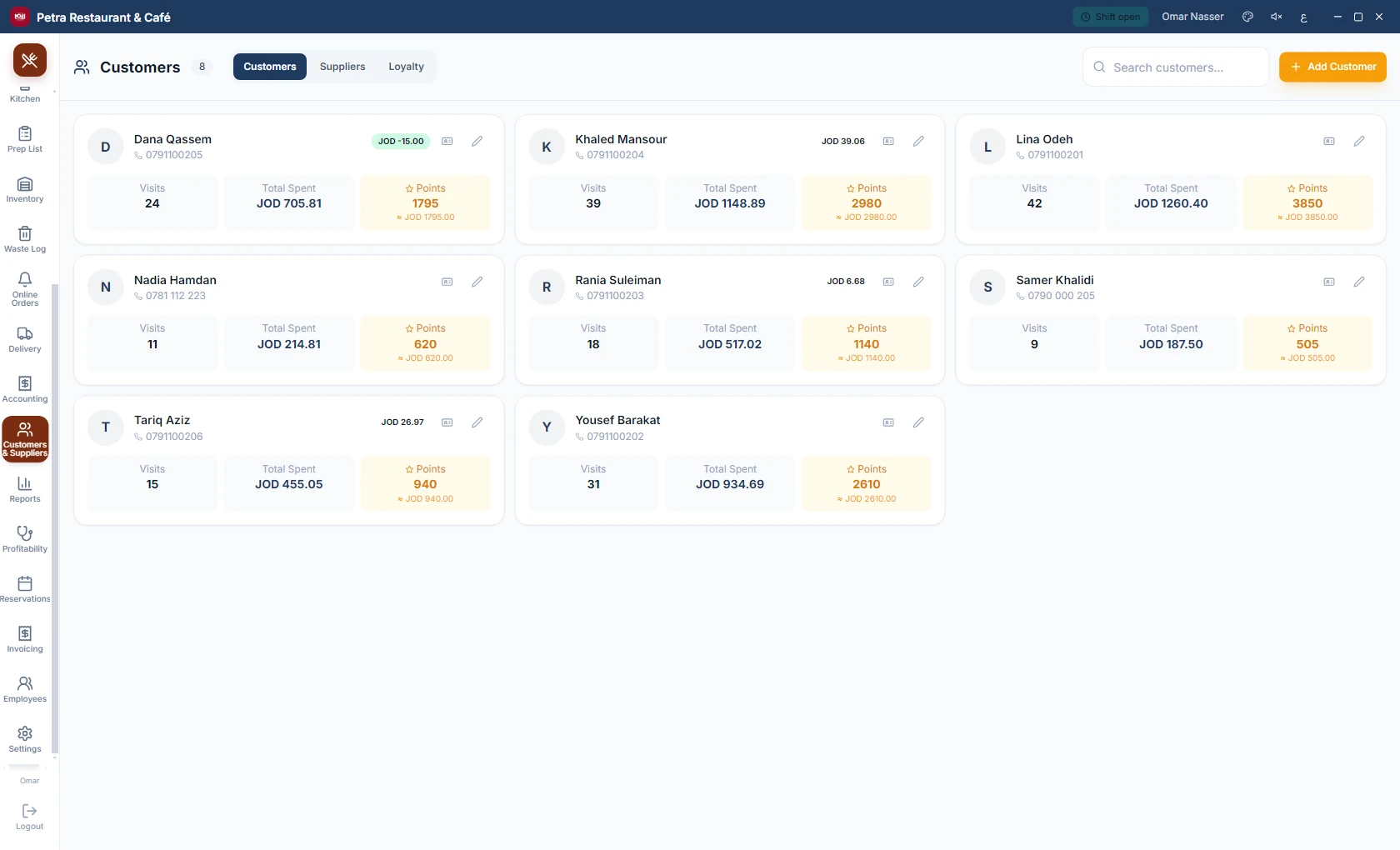
  • Loyalty, points and vouchers redeemed right at the payment screen.
Payment screen
Payment screen
Promotions and discounts
Customers and loyalty
02Restaurants

Built for restaurants from day one.

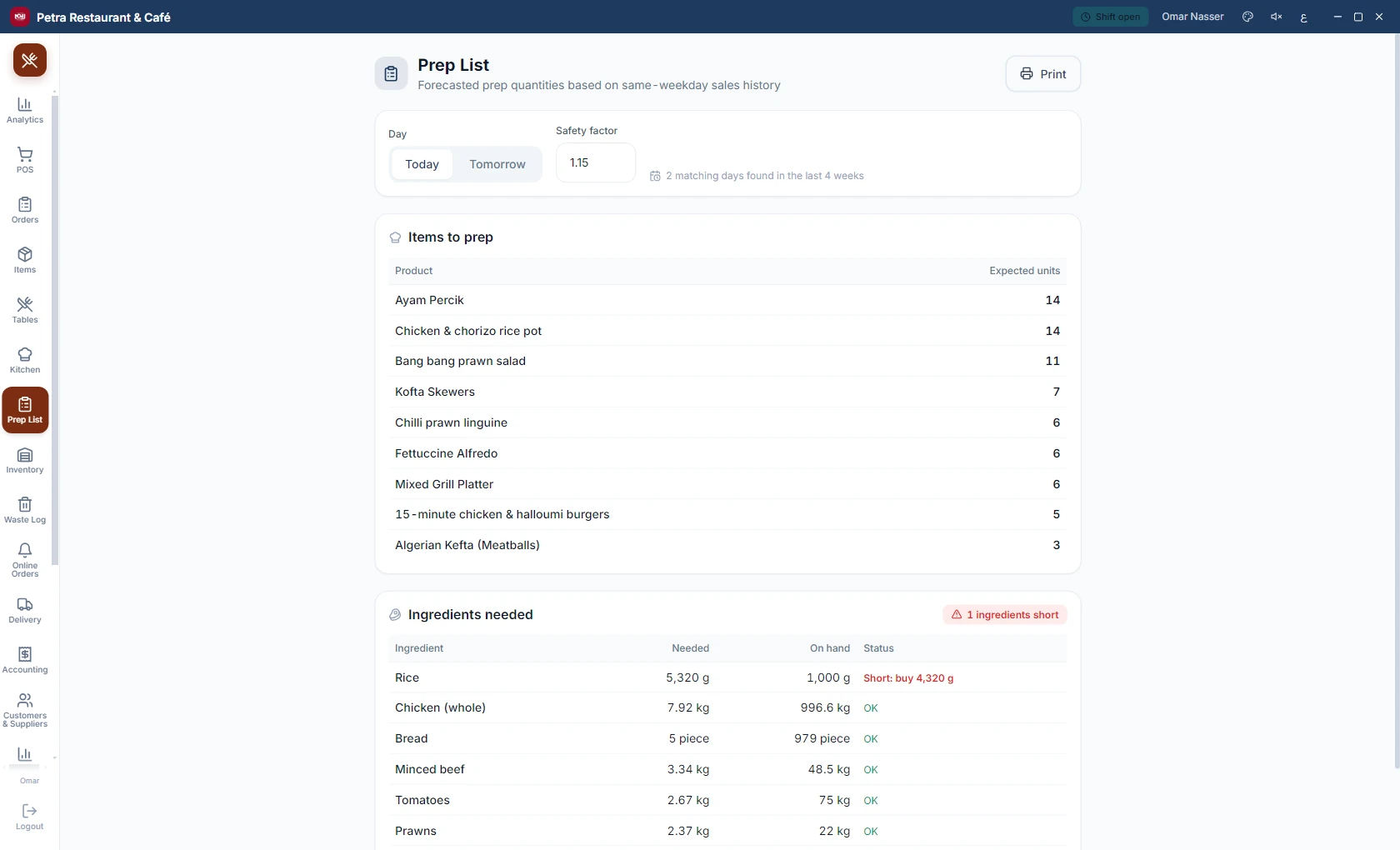
A live floor map with reservations, a kitchen display that receives orders the moment they are placed, and a prep list that predicts what your kitchen needs before the rush.
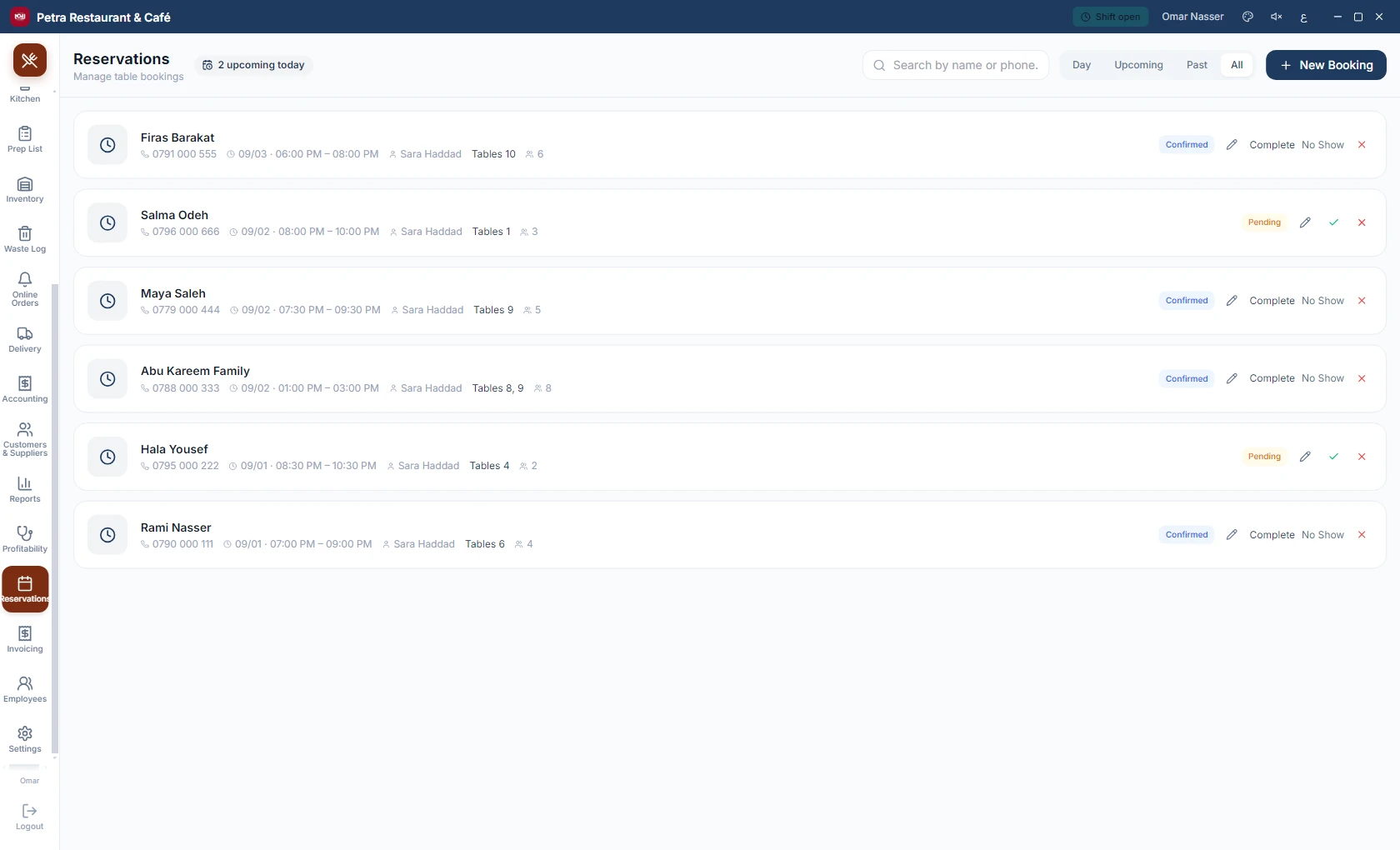
  • Tables and reservations: open, merge, move, split the bill.
  • A kitchen display (KDS) with per-item preparation stages.
  • A predictive prep list built on your actual sales.
Table map
Table map
Kitchen display (KDS)
Reservations
Reservations
Predictive prep list
03Digital menu

A QR menu your guests order from themselves.

Guests scan the code at the table, browse the photo menu and send their order, and it lands straight in the kitchen. Templates and colors are customized from a web portal, without touching the terminal.
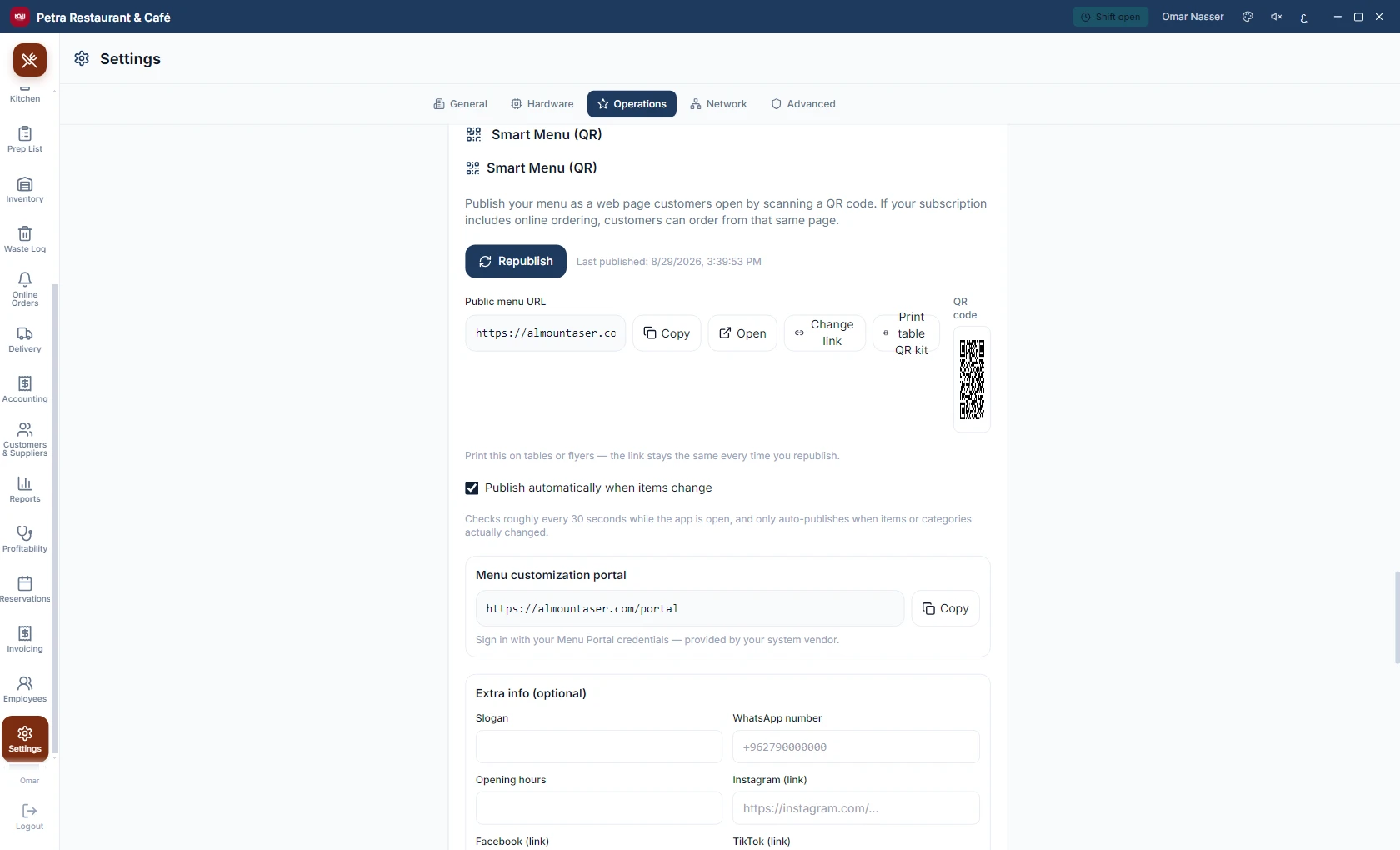
  • Orders travel from the guest’s table straight to the kitchen.
  • Templates and colors customized from a web portal.
  • The menu speaks your guests’ languages.
QR digital menu
QR digital menu
04Delivery

Delivery under control.

Drivers with cash floats that are handed over and settled, delivery platforms with their dues and commissions, and a delivery report that brings it all onto one page.
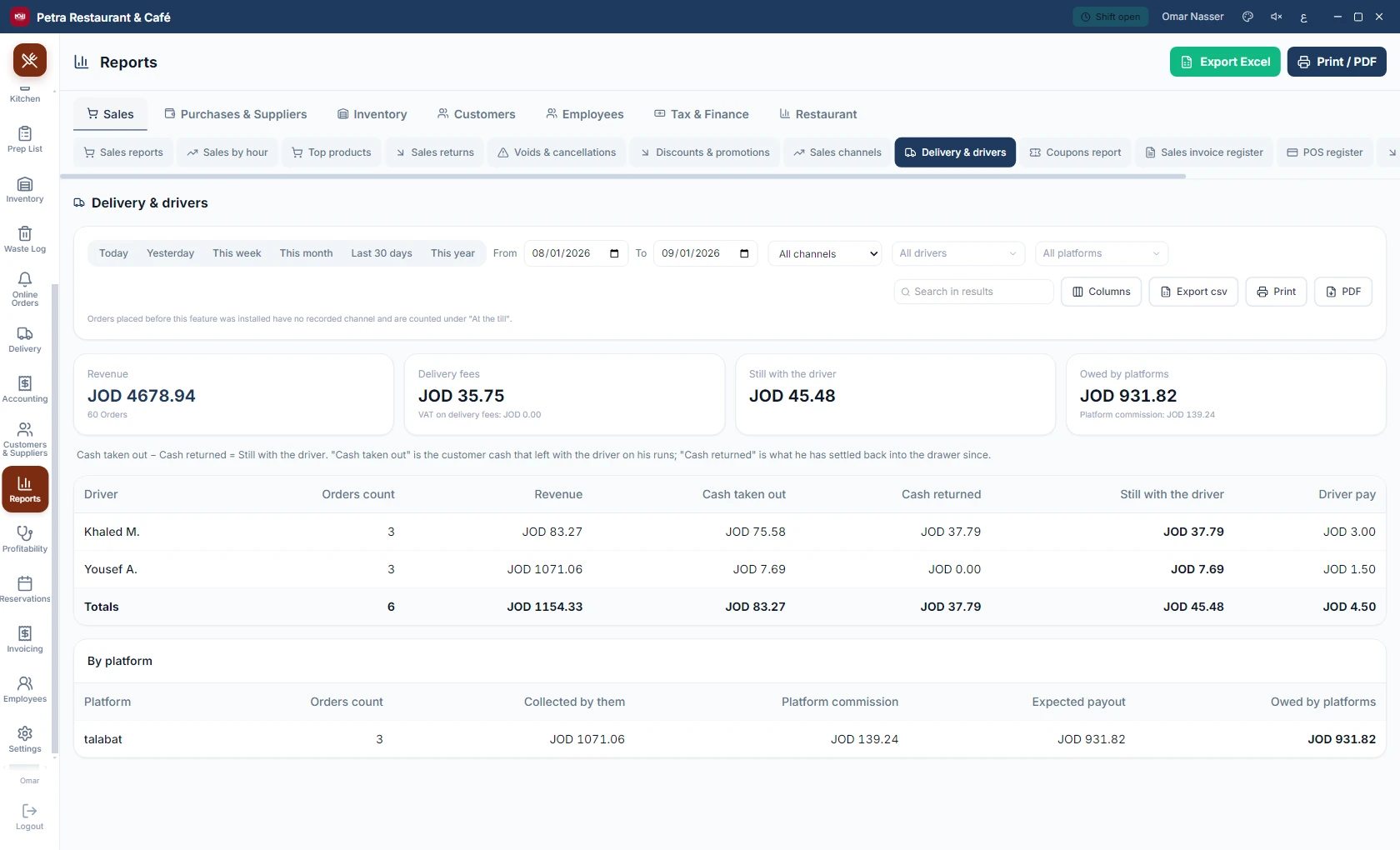
  • Drivers and cash floats: what went out, what came back, signed.
  • Delivery platforms and what each platform owes you.
  • A complete delivery report: orders, fees and drivers.
Delivery and drivers report
05Reports

Fifty built-in reports. Every one by name.

Every question about your business has a ready report to view, print and export: sales and channels, purchases and suppliers, inventory, customers and receivables, employees, tax and finance, and restaurant.
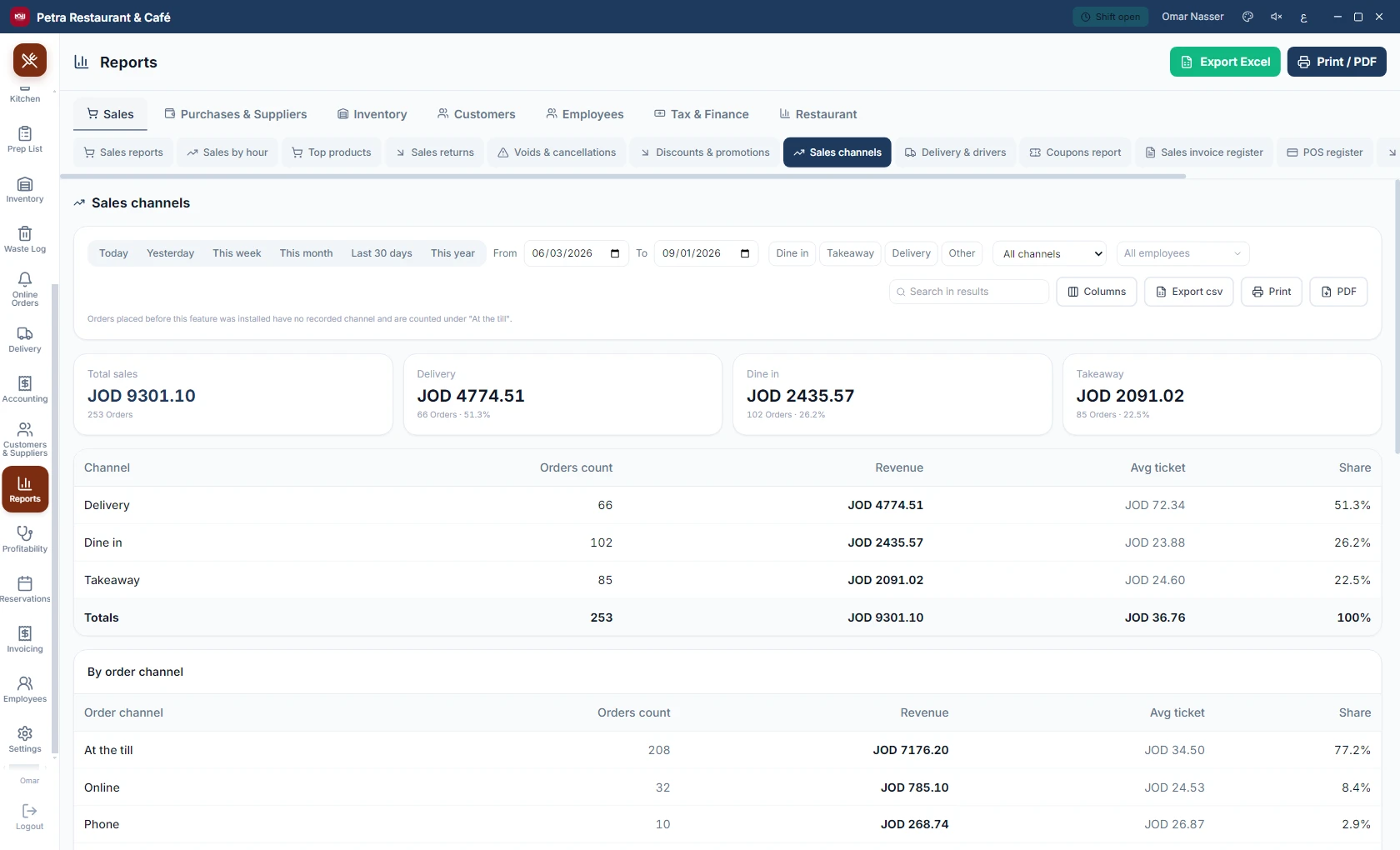
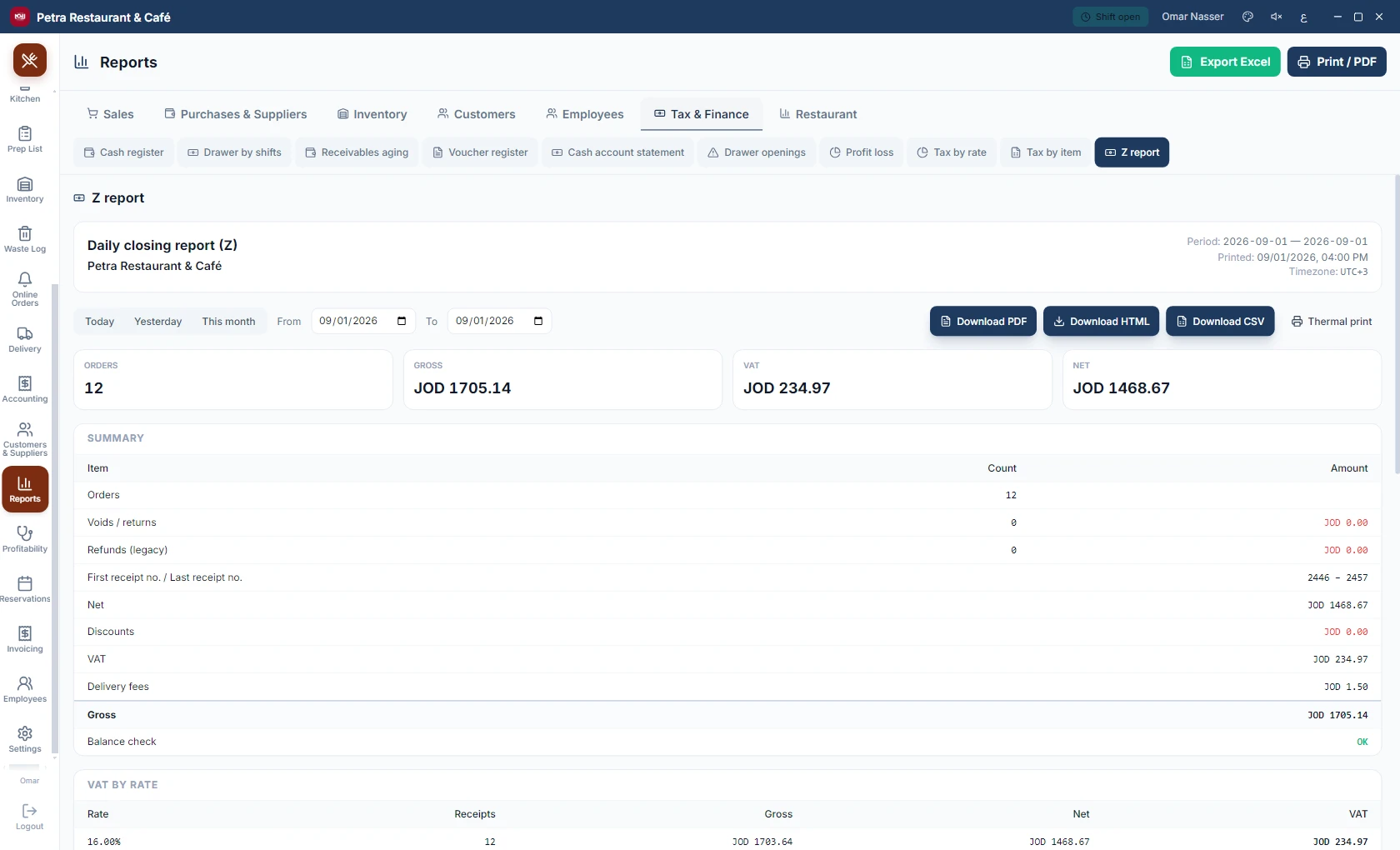
Sales channels report
Z report
Z report
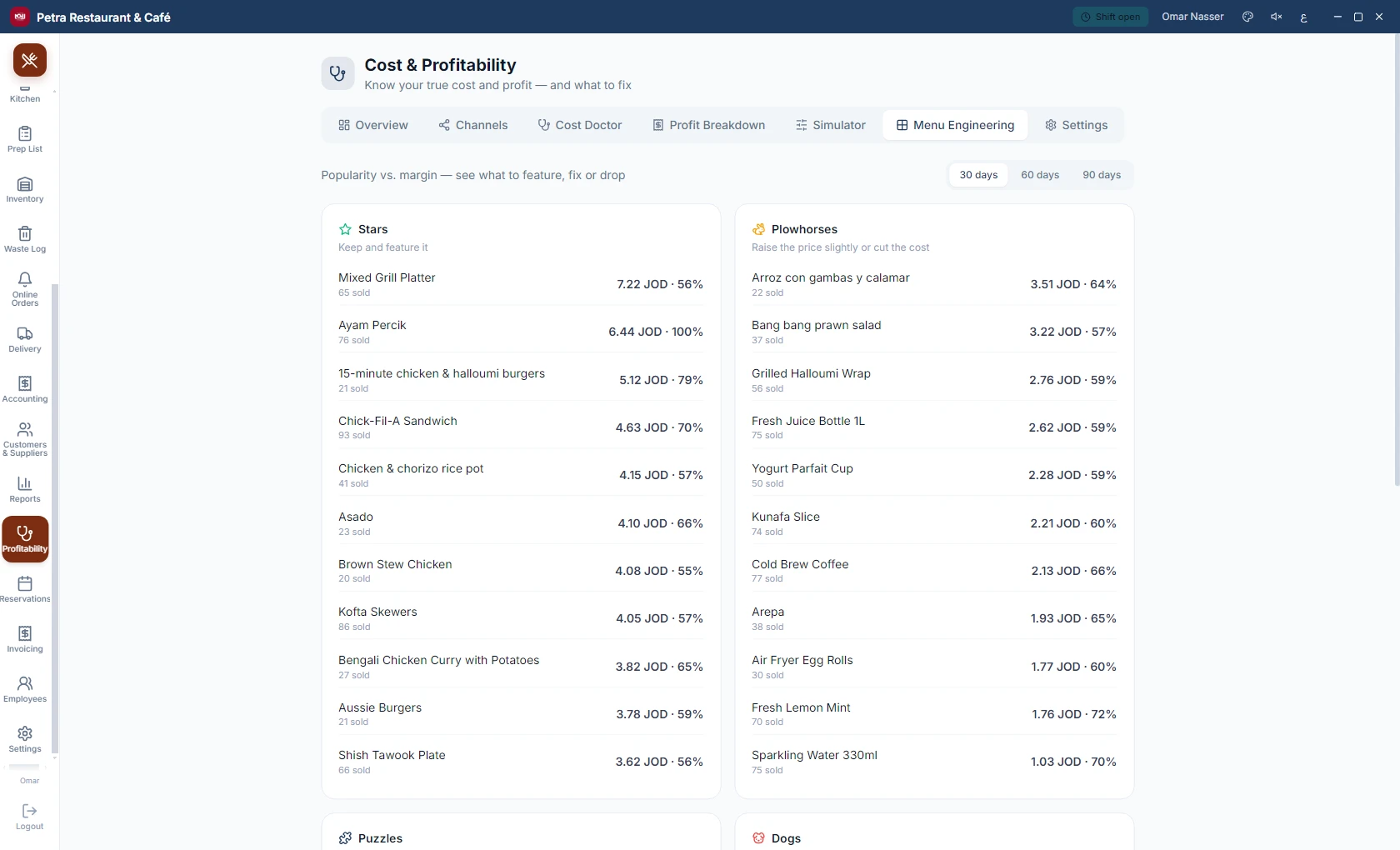
Profitability report
Delivery and drivers report

The complete list, all fifty reports as they appear in the product:

Sales

  • Sales reports
  • Sales by hour
  • Top products
  • Sales returns
  • Voids & cancellations
  • Discounts & promotions
  • Sales channels
  • Delivery & drivers
  • Coupons report
  • Sales invoice register
  • POS register
  • Sales returns register
  • Quotation register
Total13

Purchases & Suppliers

  • Purchase register
  • Purchase returns register
  • Suppliers
  • Expense categories
Total4

Inventory

  • Warehouse stock
  • Low stock
  • Item movements
  • Stock as of date
  • Below minimum
  • Price list
  • Inventory valuation
  • Expiry report
  • Waste report
Total9

Customers

  • Customer reports
  • Customer A/R
  • Top customers
  • Loyalty & points
  • Party account statement
  • Party balances
  • Dormant balances
  • Loyalty points ledger
Total8

Employees

  • Employee performance
Total1

Tax & Finance

  • Cash register
  • Drawer by shifts
  • Receivables aging
  • Voucher register
  • Cash account statement
  • Drawer openings
  • Profit loss
  • Tax by rate
  • Tax by item
  • Z report
Total10

Restaurant

  • Restaurant
  • Kitchen Analytics
  • Table performance
  • Reservations report
  • Combo report
Total5
06Cloud

Every branch in your pocket.

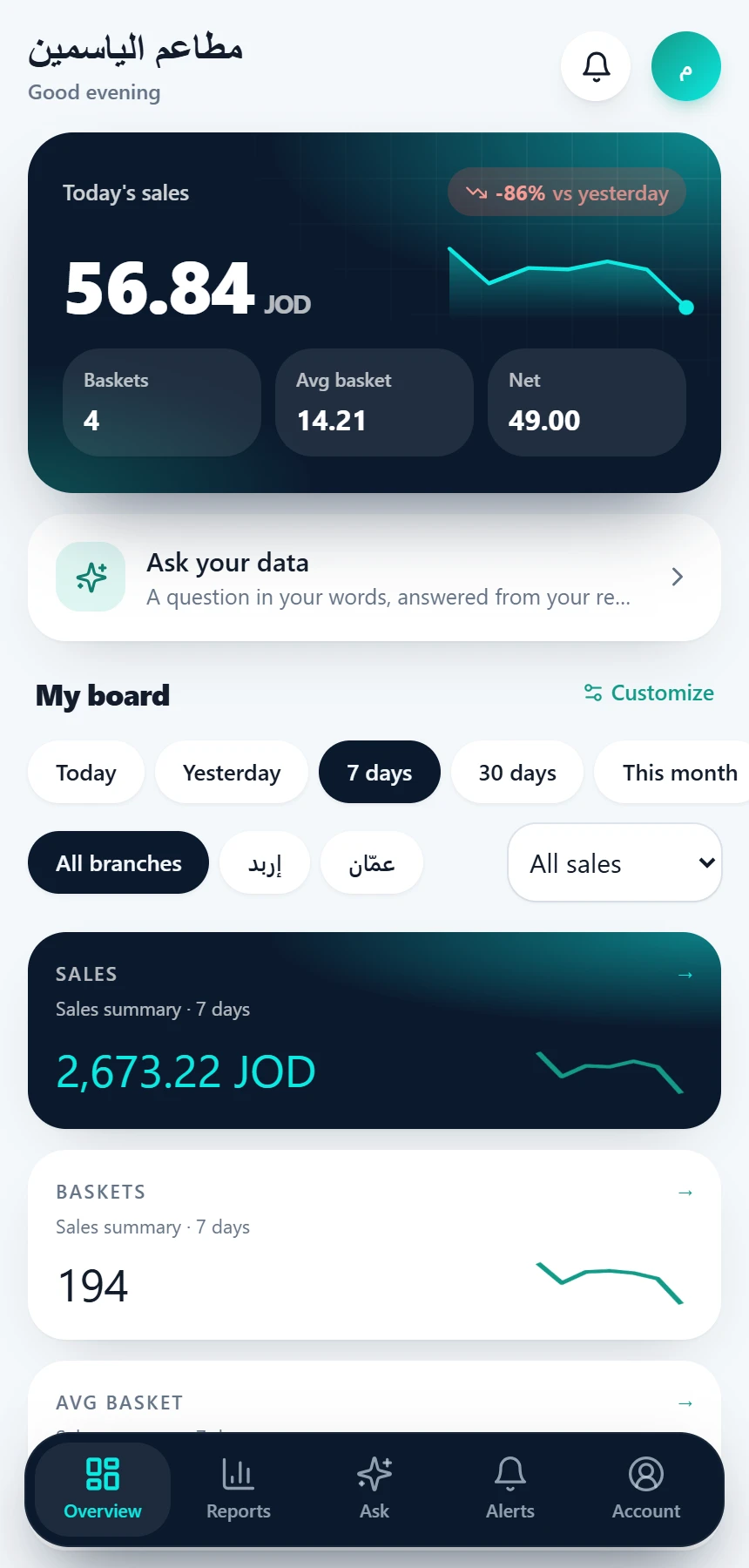
An owner portal in the cloud: reports for every branch, a dashboard you design yourself, menu, prices and customers from one place, and alerts when they matter. The till sells without internet; the cloud brings it together.
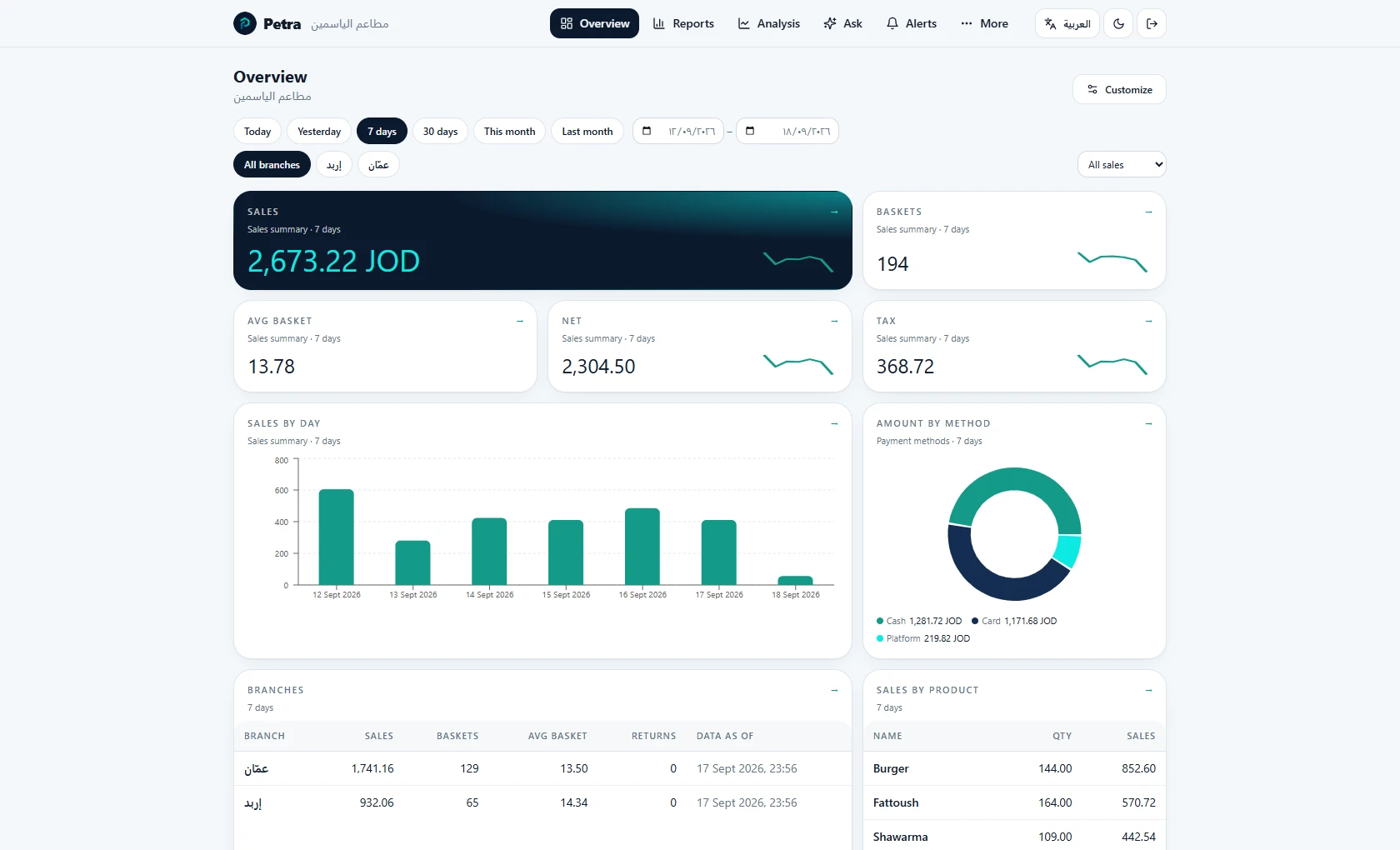
Owner portal: the customizable dashboard
The portal on the phone
  • 42 cloud reports for every branch, by branch and period
  • A dashboard whose widgets you choose: numbers, charts, tables, alerts
  • Menu and prices from the cloud to every branch, in versions
  • Users with roles: owner, manager, viewer, with a branch scope
  • Alerts: till offline, no sales, drawer variance, low stock
  • A public API and webhooks to connect your systems
A dashboard you design

Drag, arrange, save.

Big numbers, charts, tables, alerts and branch status: all from the same cloud reports, and every user keeps their own board.
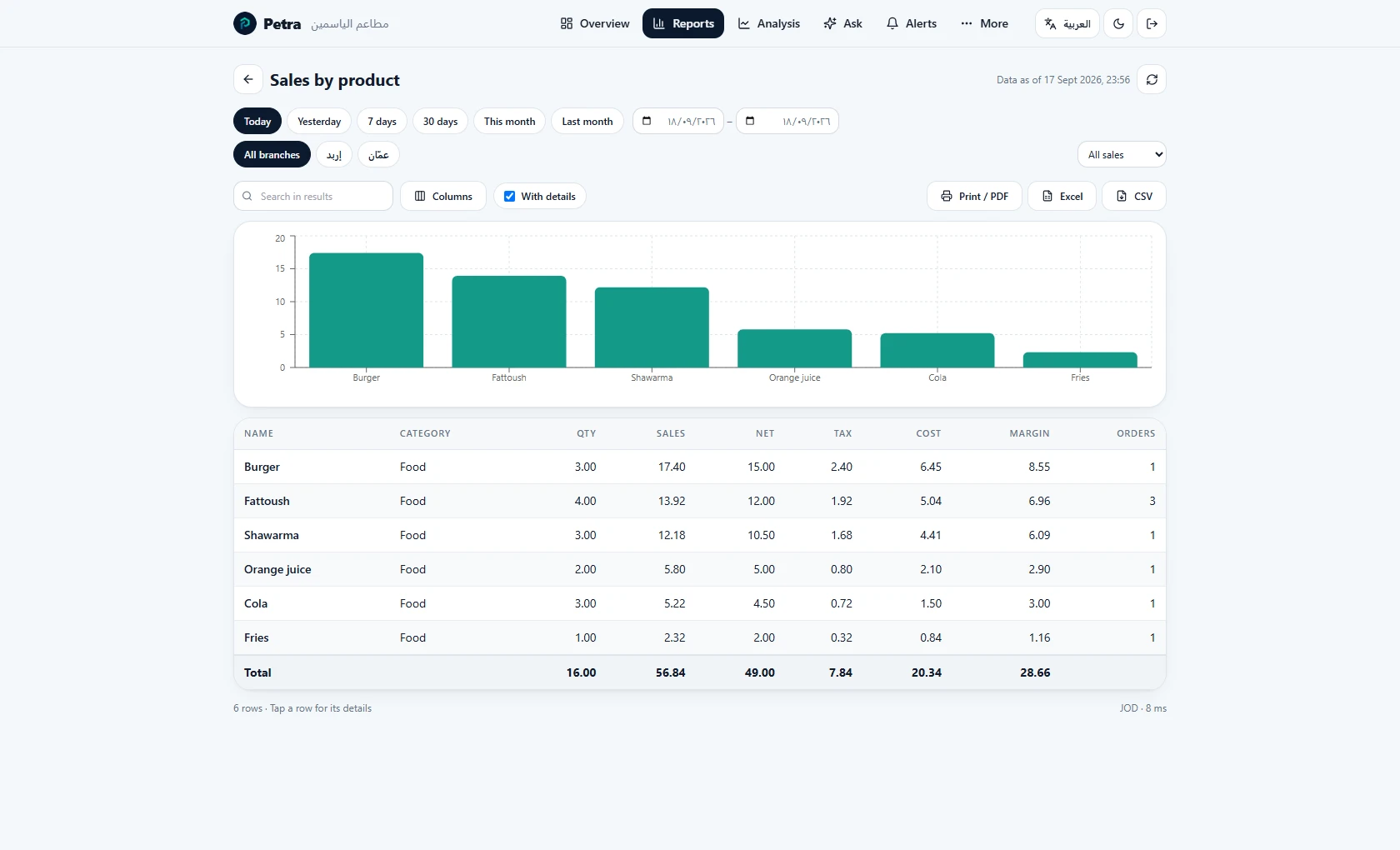
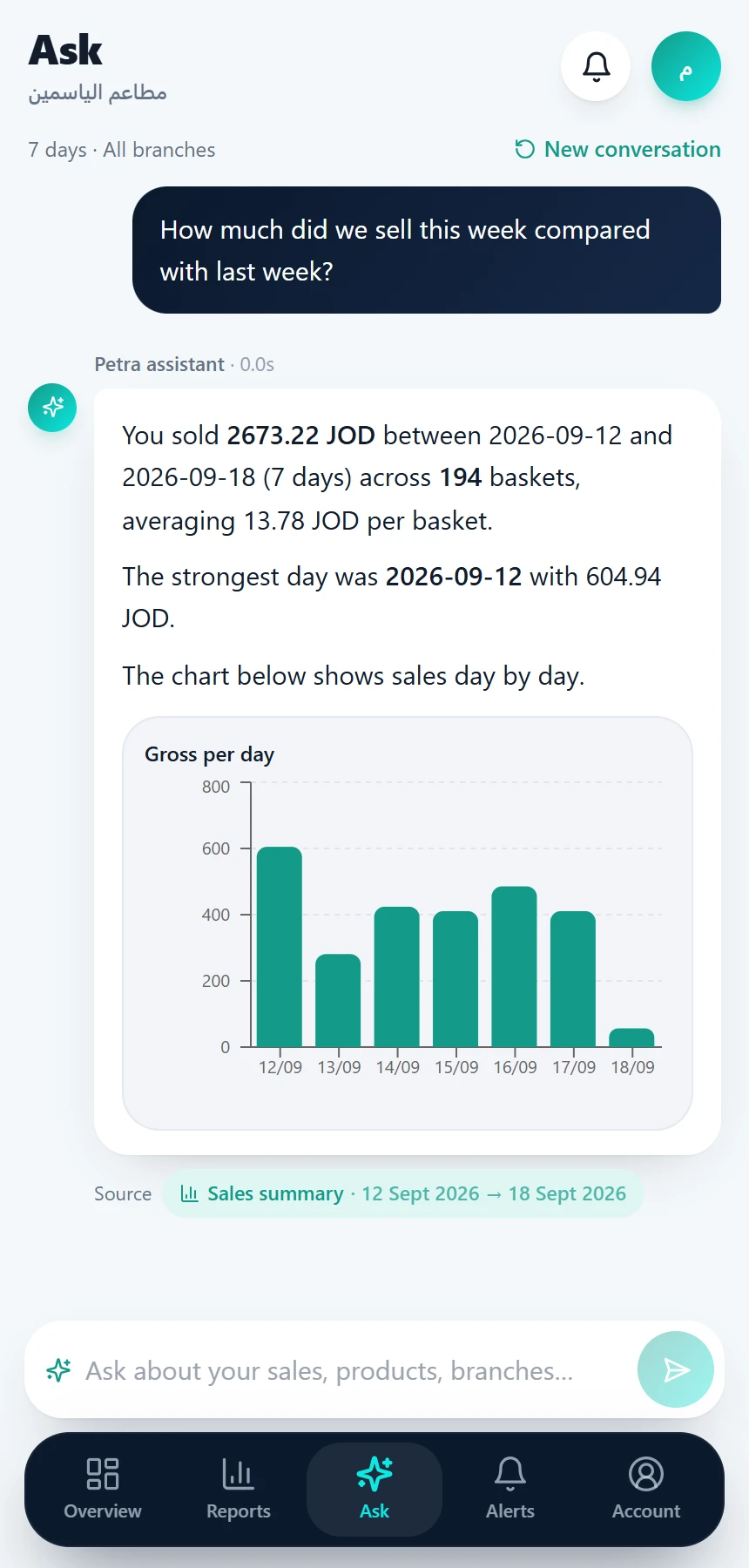
A cloud report across branches
Ask your data: a chat assistant that answers questions about your numbers, on the dashboard and in the appAndroid
Owner app

Petra on your phone.

An Android app for the owner: today’s sales at a glance, reports and data analysis, and stock and branch alerts, from your phone wherever you are. With the cloud portal you follow every branch from any browser.

  • Today’s sales: revenue, orders, average ticket
  • Reports by branch and period
  • Alerts: till offline, no sales, drawer variance
  • Low-stock alerts
  • Data analysis: trends and comparisons across branches and periods
  • Ask your data: a chat assistant that answers questions about your numbers, on the dashboard and in the app
Three plans

Offline

Everything on the device.

  • Data stays local, nothing is sent
  • Every report on the device
  • Upgrade later without losing anything
Most popular

Hybrid

The till sells locally, the cloud brings it together.

  • Reports for every branch on the web and the phone
  • Menu, prices and customers managed from the portal
  • Customizable dashboard and alerts

Online

Everything in Hybrid, always connected.

  • Selling requires a connection to the cloud
  • Mandatory menu versions for every branch
  • Full central control
Hardware

Works with your hardware.

Petra drives standard POS hardware directly: printers, drawers, scanners, scales, customer displays and TSE units, with no middleware.

Thermal printers (ESC/POS)

Network, USB or Bluetooth

Cash drawer

Automatic kick via the printer

Barcode scanner

USB: plug in and sell

Network scale

Over the network (TCP/UDP)

Customer display

Epson DM-D, Posiflex, or an Android tablet

TSE unit

Swissbit USB/SD, or fiskaly in the cloud

Payment integrations

Payment integrations, built in. Enable the ones that fit your market.

SumUp Stripe Square Adyen Verifone Ingenico Nexi / Concardis Geidea PayTabs Paymob mada CliQ Network International fiskaly ZVT

The ZVT protocol covers Ingenico iCT, Verifone and CCV terminals in cash-register mode.

07Inventory & purchasing

Stock moves with every transaction.

From the supplier invoice to the warehouse shelf to the sales screen: variants, units, batches and serial numbers, multiple warehouses, and stocktaking that reconciles shelves with books.
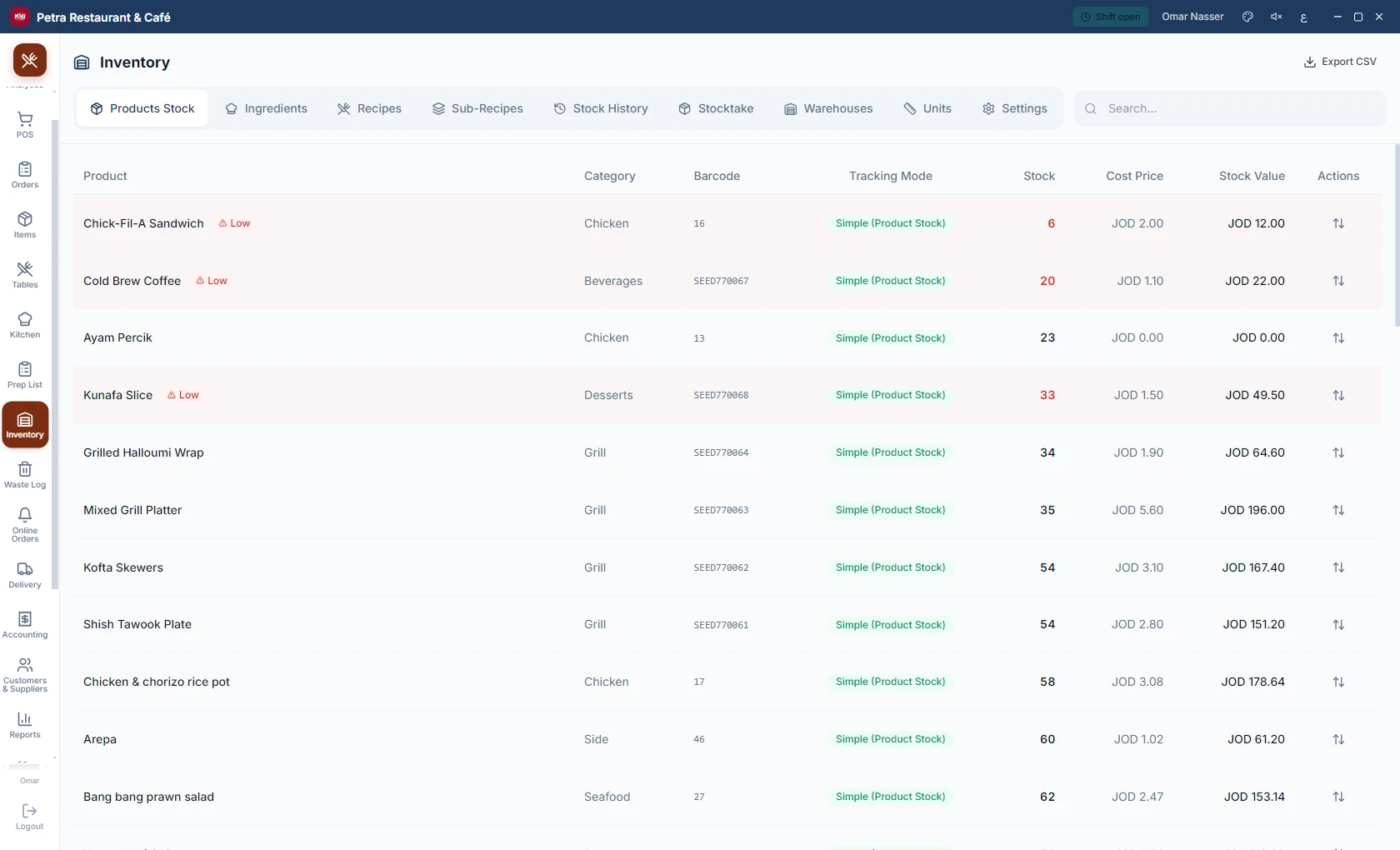
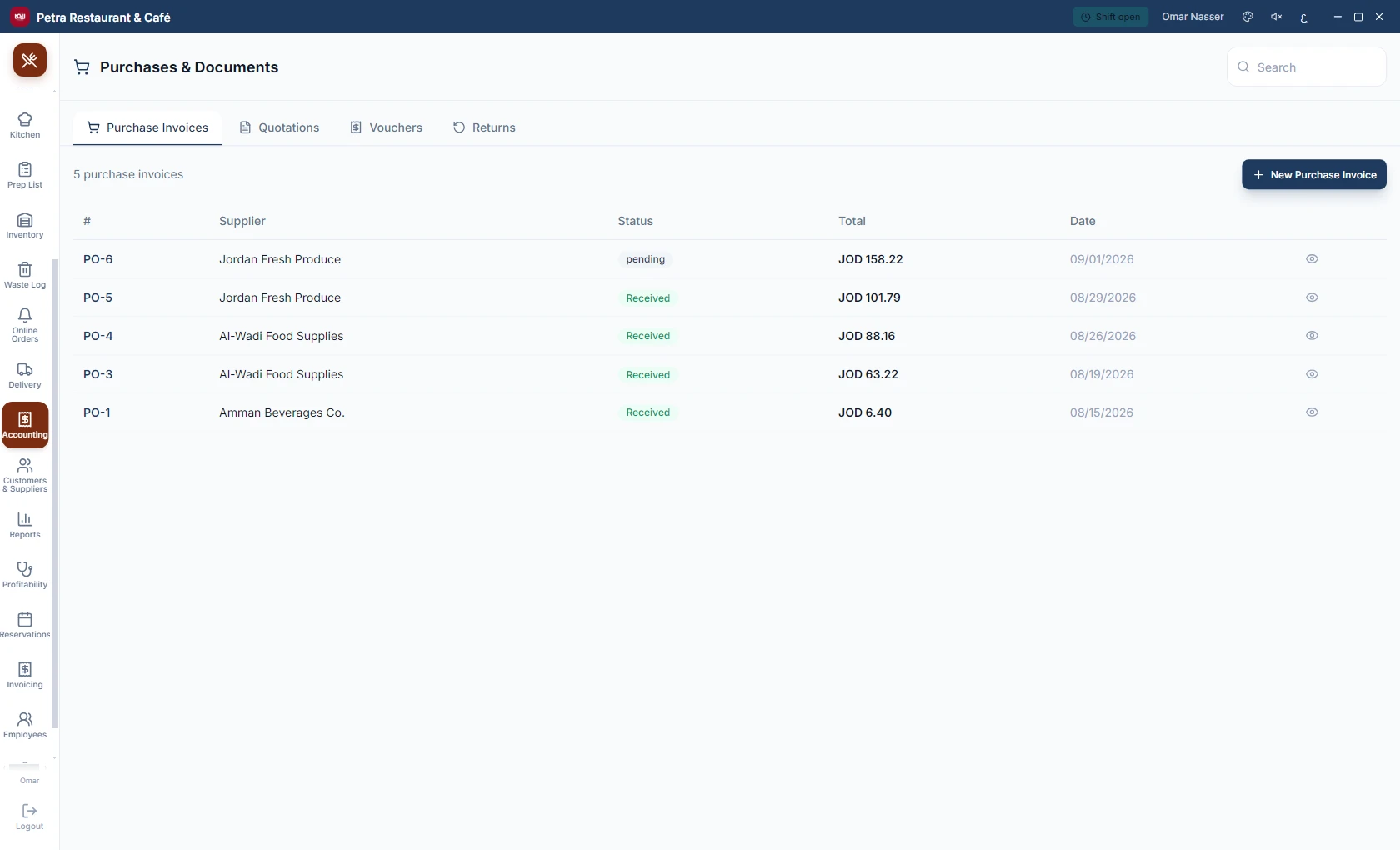
  • Variants, units, batches, serial numbers and expiry dates.
  • Multiple warehouses with transfers between them.
  • Supplier invoices, purchase returns and account statements.
Inventory and warehouses
Supplier invoices and purchasing
Advanced warehouse

A warehouse that knows where every item sits and what it is worth.

More than a quantity counter: storage locations down to the shelf and bin, receiving against purchase orders with lot, expiry and QC, a real cost per unit, and issuing to departments for businesses that do not sell at all — hospital stores, company stores.

Where is it?

Zone → aisle → rack → bin, a barcode per location; the pharmacist reads the shelf off the screen.

Receiving under control

Against the order or without one, with lot and expiry, a QC hold before the goods become sellable, and GS1 labels.

A cost per unit

Average price paid or oldest first, the value of the stock at any date, and the age of slow goods.

Requests and issues to departments

A department asks, a manager approves, the store issues, the cost lands on the department — a «warehouse only» business type for those who do not sell.

Supplier returns and three-way match

Ordered against received against billed, with the differences visible before you pay.

From the phone

Staff receive, put away, count and issue with the phone camera; the till applies and confirms.

For every sector: pharmacies, hospitals, factories, wholesale, supermarkets and company stores.

08Management & control

Every shift balanced, every permission deliberate.

Shifts open and close with a signed drawer handover, fine-grained permissions decide what each employee sees and does, and a waste log shows where goods actually go.
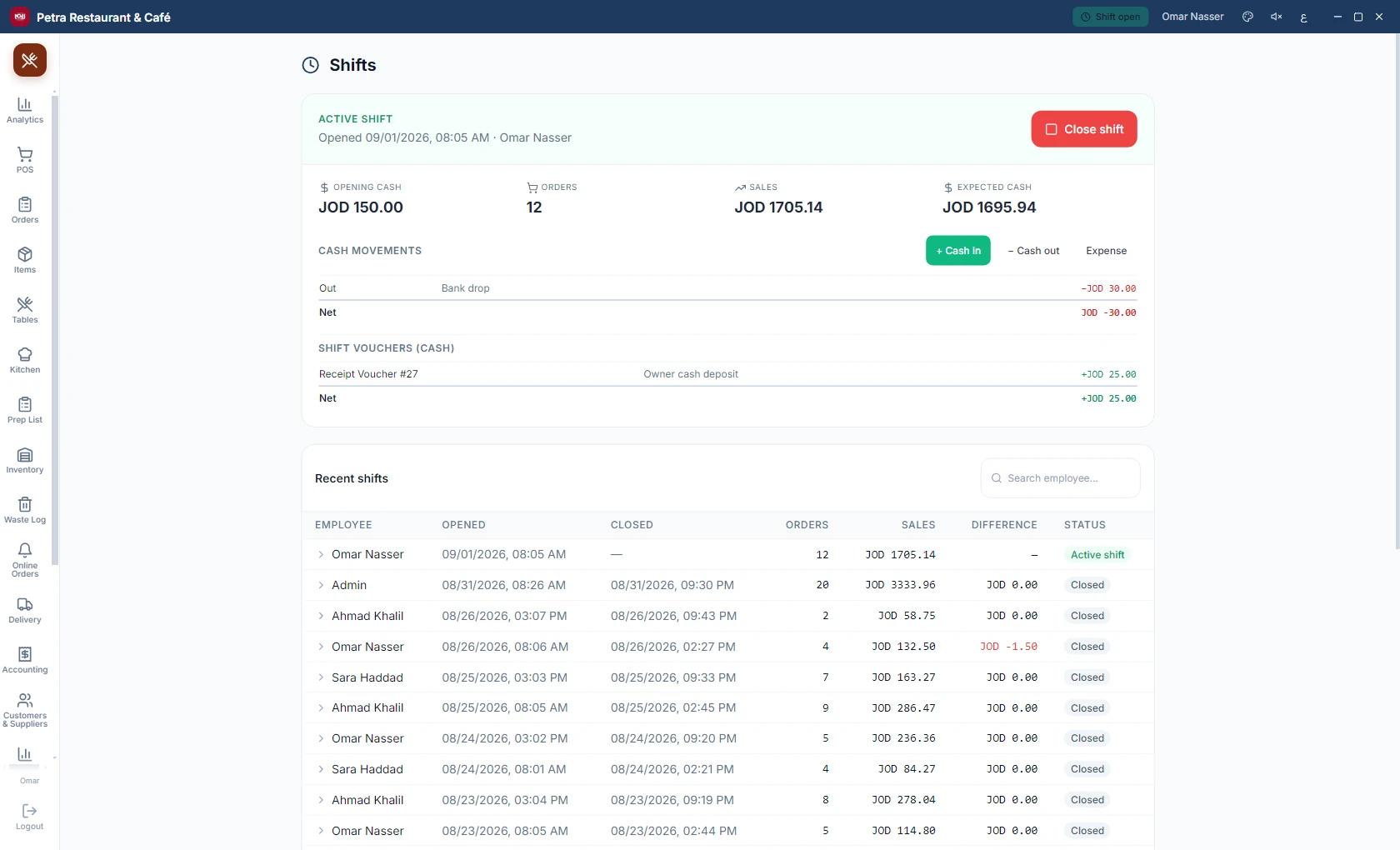
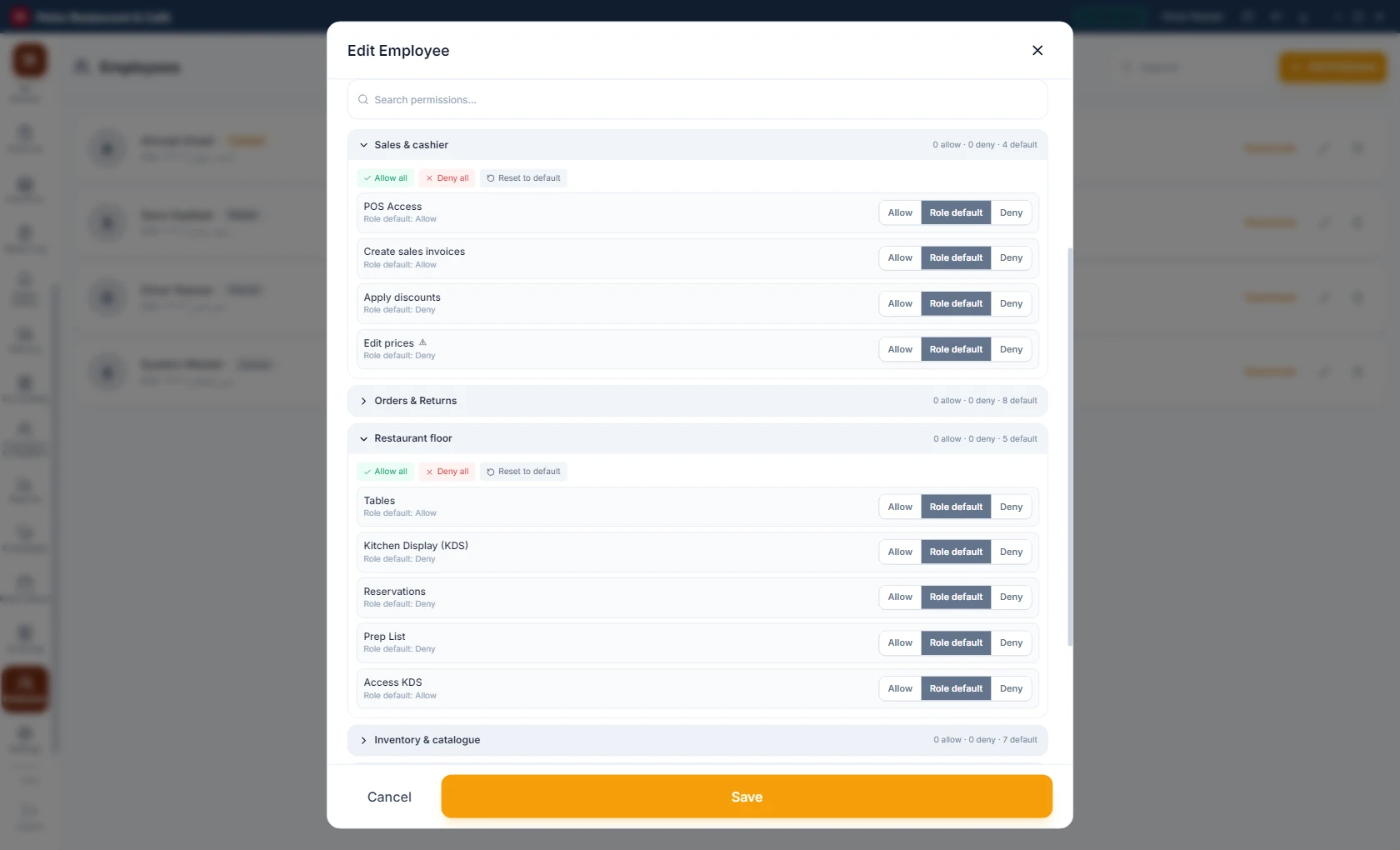
  • Shifts with a signed cash-drawer handover slip.
  • Fine-grained permissions per employee and per screen.
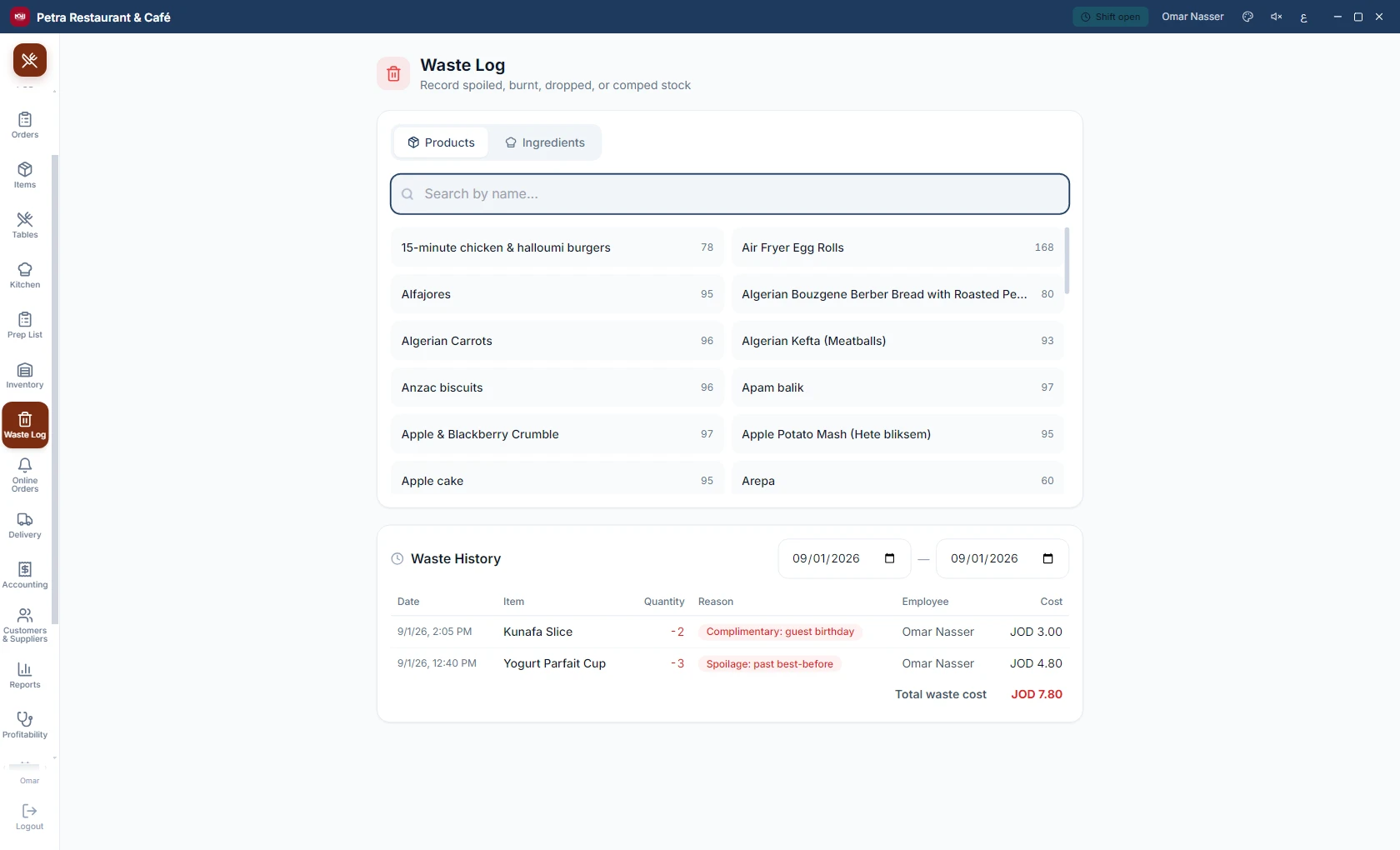
  • A waste and spoilage log with reasons and quantities.
Shifts and drawer handover
Employee permissions
Waste log
Waste log
08Compliance

Petra Kasse for Germany

An edition built for the German market, engineered around the requirements of German tax law.

„Unterstützt zertifizierte TSE-Hardware (Swissbit) und Cloud-TSE (fiskaly), DSFinV-K-Export für die Betriebsprüfung, GoBD-konforme Unveränderlichkeit, XRechnung."

TSE

Supports certified TSE hardware (Swissbit) and cloud TSE (fiskaly)

DSFinV-K

DSFinV-K export for tax audits

GoBD

GoBD-compliant immutable records

XRechnung

XRechnung e-invoices

And in Jordan: support for the national JoFotara e-invoicing.

Modular licensing: pay only for what you use.

See Petra in action.

Book a free demo. We come to you, or show you remotely.

Request a demo

Leave your name and number. We get back to you within one business day.

Sending failed. Try again, or reach us directly: +962798704506 · +4915158886836

We got your request.

Thank you. We reply within one business day.

Or message us on WhatsApp now

This form needs JavaScript. You can email us directly instead:

Contact

Get in touch

Write or call. We answer quickly.